Jira was never marketed as a CRM, yet in most digital businesses it sits closer to the real customer work than any sales platform. Deals turn into delivery plans, customer promises turn into tickets, and renewals are won or lost based on what actually happens in backlogs and service queues, not in a pipeline report. The tension behind most Jira CRM integration projects is simple: one system is optimised for revenue reporting, the other for execution, and neither on its own gives a clean, shared view of accounts, deals, and work. Some teams respond by pushing more CRM data into Jira and treating it as a native customer system. Others keep a dedicated CRM at the centre and use Jira CRM integration as a controlled way to expose only the work that matters. This article focuses on that architectural choice, native CRM built for Jira versus Jira integrations with external CRMs, and gives you a decision path before you commit to an app, rollout model, or implementation partner.
Table of Contents
What Problems Jira CRM Integration Solves
Most teams do not start with architecture diagrams. They start with friction. Work is happening in Jira, but the picture of the customer and the revenue tied to that work lives somewhere else. The result is a set of recurring, very operational problems that show up in weekly meetings.
Typical problems that drive Jira CRM integration:
- No single place that shows “this customer + current work + revenue impact”
- Sales and account managers chasing updates in Slack or email because Jira is a black box to them
- Delivery teams seeing tickets and projects, but not knowing which accounts or contracts matter most
- Renewals and upsell decisions made without a reliable view of open work or delivery risk
- Duplicate customer records across Jira, CRM, spreadsheets, and support tools
- Conflicting data between CRM and Jira (different owners, different statuses, different close dates)
- Manual copy‑paste from Jira into CRM notes and account plans
- Leadership reports that require exporting from both Jira and CRM and then reconciling in sheets
- Region or business‑unit teams using different tools and structures to track the same customers
- Integrations or automations that keep breaking because they were designed around specific edge cases, not a clear model
This is the practical backdrop for Jira CRM integration. The goal is not to add another app, but to close the gap between the system that owns revenue and the system that runs the work in a deliberate, repeatable way.
Two Jira CRM Integration Options to Fix These Problems
Once the problems are clear, the next question is simple: how should Jira sit in the overall customer and revenue stack. There are only two realistic Jira CRM integration options on the table. Either Jira becomes the place where customer entities and work live together, or it stays an execution layer that connects to a separate CRM.
Option 1: Native CRM Inside Jira (Mria CRM)
In this setup, Jira is treated as the system that holds customers and work together. Accounts, contacts, and deals are modelled directly in the Atlassian environment and linked to epics, tickets, and service requests. Customer context sits inside the same records teams already use every day, and reporting can read from one system instead of stitching data across multiple tools.
Option 2: Integrate Jira with an External CRM
Here, the CRM remains the primary system for customer data and revenue. Salesforce, HubSpot, Pipedrive, or another CRM keeps ownership of accounts, opportunities, and cases. Jira CRM integration then decides which parts of that data are visible inside Jira, and how they relate to issues, projects, and queues. Jira stays focused on execution, while the CRM stays the system of record.
Both options address the same underlying issues, but the trade‑offs around ownership, maintenance, and flexibility are very different.
Now let’s unpack each model in detail so you can see how it would work in your environment.
Option 1: Native CRM Inside Jira (Mria CRM)
In the native model, Jira is not only the place where work is tracked. It also becomes the system where sales and account management run their day‑to‑day, using the same environment that already holds projects, queues, and delivery work. Instead of syncing a subset of CRM fields into Jira from an external tool, the full CRM layer is defined on the Atlassian side and used directly in pipelines, account reviews, and revenue reporting.
What Native CRM Inside Jira Is
Native CRM inside Jira means running CRM and sales operations on top of Jira, not just attaching “customer cards” to Jira issues. The platform holds the core CRM entities and workflows: leads, contacts, companies, deals, pipelines, and activities, with their own lifecycles, stages, and ownership. Jira becomes the operational system for both work and revenue, so the same tool covers opportunity management, delivery, and support.
Teams still use the Jira screens and projects they know, but they can:
- Manage pipelines and deal stages inside Jira
- Plan and track sales activities linked to contacts and companies
- Attach CRM objects to issues, epics, and tickets that deliver what has been sold
This is fundamentally different from adding a few custom fields or spinning up a “CRM” project. A native setup provides a structured model for customers and revenue, with dedicated entities, statuses, and relationships, all running on Atlassian’s infrastructure and available across dashboards, boards, and service queues.
Objects and Relationships in a Native Jira CRM Setup
A native setup introduces consistent set of CRM objects that live alongside Jira issues. The core ones are:
- Leads: early-stage prospects that are not yet qualified opportunities
- Contacts: the people your teams interact with at each account
- Companies: customer organisations or accounts
- Deals: qualified opportunities, contracts, or retainers tied to those customers
The value comes from how these objects relate to Jira work and to each other:
- Leads convert into Deals that can be linked to specific projects, boards and epics
- Deals link to Jira issues that deliver what has been sold, from implementation tasks to change requests
- Contacts and Companies link to service requests, incidents, and change tickets that reflect ongoing support
- Each Company can be viewed together with its Leads, Deals, current work, past incidents, and upcoming commitments
With this structure in place, Jira can answer questions like “What are we currently doing for this customer?”, “Which projects and tickets are tied to this contract?”, and “Where are the delivery risks before a renewal or upsell conversation?” without leaving the platform.” without leaving the platform or switching tools.
Mria CRM as the Native Jira CRM Layer
Mria CRM: CRM for Jira Teams is a full-featured CRM that runs inside Jira, not just a set of extra fields or reference records. It covers the core sales and account management workflows you would expect from a dedicated CRM: capturing and qualifying leads, managing pipelines, moving deals through stages, planning and tracking sales activities, and keeping a structured history of every interaction with a customer. All of that happens in Jira, on top of the same projects, boards, and service queues your teams already use.
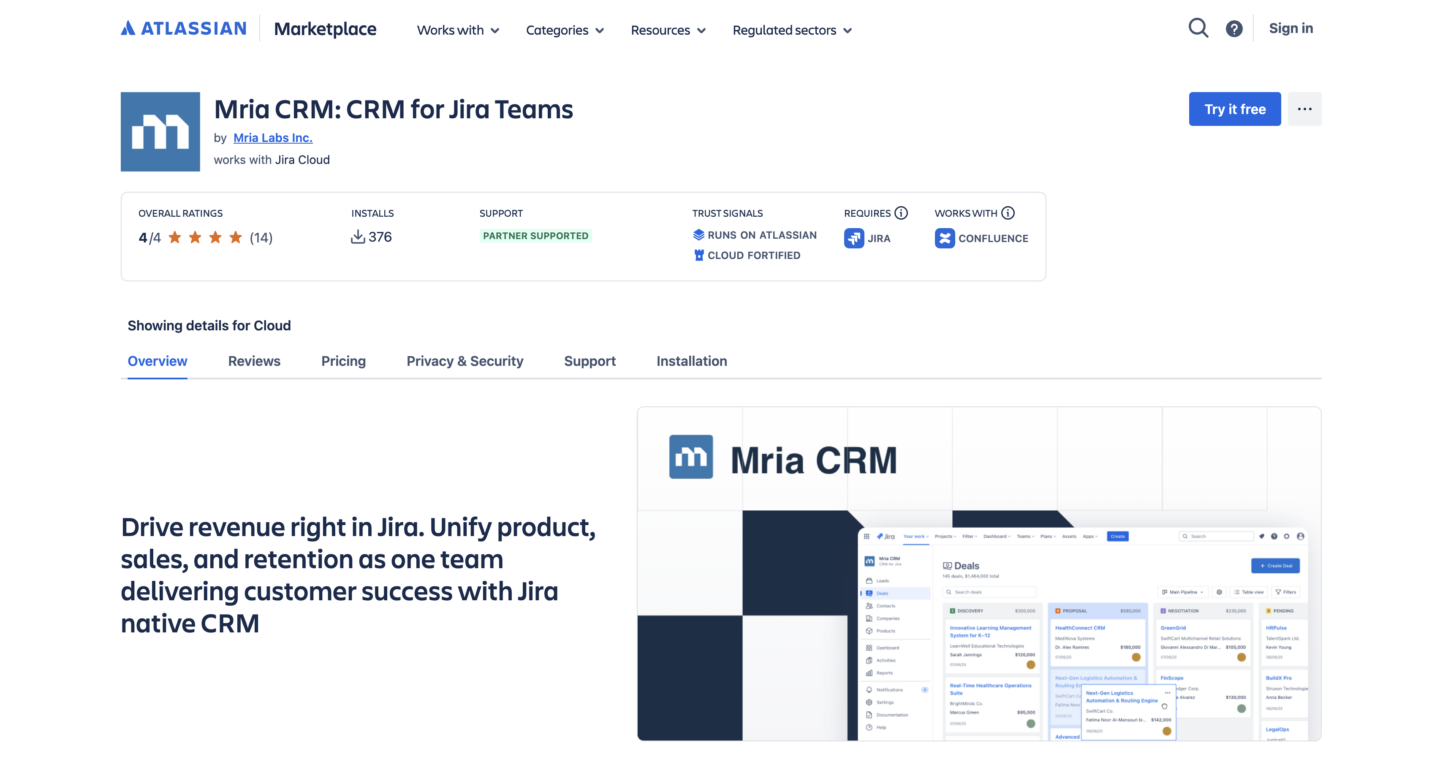
Under the hood, Mria CRM uses Leads, Contacts, Companies, and Deals as first‑class objects in Jira, and those objects exist to support complete processes. Sales and account managers can run their day from Jira: work their pipeline, update stages, log calls and meetings, and review account timelines. Delivery and support teams do not need a separate Jira CRM integration licence; they see the same CRM entities attached to their issues, projects, boards and queues, so everyone is looking at the same pipeline and the same customer reality.
In Mria CRM, all core CRM entities can be linked to Jira work. Teams decide which object should anchor execution for their business model. Some organisations connect most work to companies, because account health is the main lens. Others attach projects and issues to deals, because contracts and scopes drive everything. In some cases, specific high‑value contacts are linked directly to delivery tasks or support queues to keep key stakeholders visible in day‑to‑day work.
Concretely, this enables scenarios such as:
- Leads progressing through qualification stages and converting into deals inside Jira, without relying on an external CRM.
- Deals, companies, and contacts linked to projects, epics, issues, and service requests, so each customer or opportunity shows the work required to deliver it.
- Customer context appearing directly inside Jira Service Management requests, where Mria CRM automatically suggests or links matching contacts and companies based on requester details.
- Contact and company records showing all related Jira issues and JSM tickets, so sales and account teams see current work and support history in one place.
- Customer timelines that combine commercial events (new lead, deal created, renewal, upsell) with operational events (incident, change, release, support conversations) inside Jira.
The result is closer to running a focused Salesforce or HubSpot instance on Jira than to adding a “customer” issue type into a project. Mria CRM gives Jira‑centric organisations a full CRM and sales layer that is aware of real work, while Jira remains the single environment where that work is planned, delivered, and supported.
How Mria CRM Addresses Jira CRM Integration Problems
Mria CRM tackles Jira CRM integration problems by moving CRM, sales work, and delivery work onto the same Jira‑based model.
- The missing “one place that shows customer + current work + revenue impact” becomes a standard Mria CRM company or deal view inside Jira, with linked issues, projects, and JSM requests in the same screen.
- Sales and account managers no longer rely on screenshots or Slack threads to understand delivery, because they can open a customer or deal in Jira and see the exact work in progress.
- Delivery teams can see which tickets and projects are tied to which accounts, contracts, and renewal dates, so they can prioritise based on commercial impact, not only internal SLA rules.
- Renewal and upsell decisions can factor in active incidents, overdue work, and upcoming releases, because both commercial history and operational history are visible inside Jira.
- Duplicate customer records across Jira and a separate CRM disappear if the organisation decides to use Mria CRM instead of keeping two systems in parallel.
- Conflicting data between CRM and Jira is removed at the source, because there is a single CRM model and it lives where the work happens.
- Manual copy‑paste into CRM notes and account plans is replaced with linked issues and tickets that show the real work against each customer.
- Leadership reports can be built on top of Jira and Mria CRM data together, without exporting and reconciling from two separate platforms.
- A whole class of fragile sync automations is no longer needed, because there is no second customer system to keep in alignment with Jira.
For organisations that already treat Jira as the operational centre of gravity, this is the main argument for the native Jira crm option. CRM and sales operations move into the same system as delivery and support, and Jira CRM integration becomes an internal architectural decision instead of an ongoing integration project between two tools.
Option 2 is for teams that want to keep a standalone CRM (Salesforce, HubSpot, Pipedrive, etc.) as the system of record for customers and revenue, and connect it to Jira instead of trying to run CRM fully inside Jira.
Option 2: External CRM Integrated with Jira
In this model, a standalone CRM (for example Salesforce or HubSpot) remains the customer system of record, and Jira remains the work system of record. “Jira CRM” means a maintained integration between two systems, not trying to rebuild full CRM inside Jira.
What Jira CRM Integration Connects
Jira CRM integration in this option is about creating stable relationships between objects in the two systems, not about synchronising everything.
Common links look like:
- Opportunity ↔ Jira epic or project
- Each closed‑won opportunity can create or link to a Jira epic or project that represents the implementation or custom work promised in the deal.
- The Jira work item carries the delivery plan; the opportunity carries the commercial context and revenue.
- Case ↔ Jira Service Management ticket
- Escalated customer issues in the CRM become Jira or JSM tickets, with a live link back to the original case.
- Support and engineering teams work in Jira, but the customer‑facing conversation stays in the CRM.
- Account ↔ Jira projects and issues
- Strategic or high‑value accounts are mapped to one or more Jira projects and tagged issues.
- Account and success teams can see key Jira signals for that customer (open incidents, implementation status) without leaving the CRM.
Technically, these links are stored as IDs, reference fields, or through dedicated integration objects. Conceptually, each customer “thread” consists of two parallel models – CRM for relationships and revenue, Jira for work – stitched together with clear mappings.
How External CRMs Are Integrated with Jira
Connecting a standalone CRM with Jira is rarely a single toggle. In practice, there are three main Jira CRM integration patterns, each with its own effort and constraints.
- Marketplace apps built for a specific CRM
Jira and the CRM are connected through an Atlassian Marketplace app or CRM marketplace app that ships with predefined objects and flows (for example, Salesforce ↔ Jira, HubSpot ↔ Jira, Pipedrive ↔ Jira). Configuration happens through UI screens where you pick which objects to sync, which fields to map, and which directions updates should flow in. This is the fastest way to start, but the integration is limited to what the app supports. - iPaaS and automation platforms
Tools like Workato, Make, Zapier, or dedicated iPaaS platforms sit in the middle and orchestrate data flows between Jira and the CRM. They can connect multiple systems, enrich data on the way, and implement more complex logic than most point‑to‑point apps. The trade‑off is more configuration work, more moving parts to monitor, and usually an additional subscription to maintain. - Custom API integrations
Engineering or operations teams build direct integrations on top of the Jira and CRM APIs. This can be anything from a lightweight script that creates issues when deals close, up to a full internal integration service that manages object mappings, retries, and error logging. Custom work gives maximum flexibility, but it also means upgrades, API changes, and process changes become an ongoing responsibility for the team that owns the integration.
Across all three Jira CRM integration patterns, the recurring requirements look similar:
- Clear decisions about which CRM objects are connected to which Jira objects (for example Opportunity ↔ Epic, Case ↔ JSM Request, Account ↔ Jira project)
- Field mapping for the small set of attributes that matter on both sides (names, owners, values, dates, status, IDs)
- Rules for sync direction and timing (which system wins on conflict, how often updates run, what happens on failures)
- Monitoring and maintenance for when processes, fields, or naming conventions change in either system
Without that clarity, Jira CRM integration tends to grow as a chain of one‑off automations. With it, the integration becomes a defined part of the architecture, even if Jira and the CRM remain separate systems.
How Jira CRM Integration Works in Daily Operations
In practice, this model is a set of concrete triggers and links between the CRM and Jira, not a generic “full sync.” Which of these workflows you can actually enable – and how easily – depends on the integration option you choose (prebuilt connector, automation platform, or custom API integration).
- When a deal reaches a certain stage (for example “Closed Won”), the CRM can automatically create a linked Jira epic or project using a predefined implementation template.
- When a customer issue is escalated in the CRM, a linked Jira or Jira Service Management ticket can be created so product, development, or support teams work it in their normal queues.
- Key Jira statuses and milestones (blocked, ready for customer review, done) can be pushed back into the related opportunity, case, or account so sales and success see up‑to‑date delivery state without opening Jira.
- On the Jira side, issues and queues can show a small set of CRM fields (account tier, value, renewal date, owner) so teams can quickly see business impact when prioritising work.
Day to day, sales and account managers stay in the CRM, delivery and support stay in Jira, and the integration moves only the signals both sides need to coordinate, with the actual scope defined by the integration approach you implement.
Business Problems Jira External CRM Integration Solves
This model is designed for teams that keep a full external CRM and use Jira for delivery, so it targets the gaps that appear when customer and work data live in different systems.
- Fragmented customer view between CRM and Jira: integration aligns accounts, deals, and work items so everyone talks about the same customer reality.
- Manual, error‑prone handovers: structured links and triggers replace copy‑paste, screenshots, and status emails between sales and delivery.
- No end‑to‑end visibility: shared IDs between CRM and Jira make it possible to report on “from deal close to go‑live” or “incidents affecting renewals” without bending either system into something it is not.
Taken together, these changes let you keep a specialised CRM and a specialised work management tool while still running a coherent, measurable customer lifecycle across both.
Native Jira CRM vs External Integration: Key Differences
With both Option 1 (Jira‑native CRM) and Option 2 (external CRM integrated with Jira) defined, the next step is not to pick a “winner” in general, but to decide which model fits your existing stack, governance, and growth plans best. This section gives readers a quick way to compare the two Jira CRM architectures on the dimensions that actually matter, without repeating the detailed descriptions from above.
| Dimension | Option 1: Jira‑Native CRM (Mria CRM) | Option 2: External CRM + Jira (Salesforce, Hubspot, Zoho) |
|---|---|---|
| Systems involved | One platform: Jira (plus CRM app inside it) acts as the single system of record for customers and work. | Two platforms: a dedicated CRM and Jira, connected by a defined integration layer. |
| Source of truth | Customer and work data live together in Jira, so there is one canonical place to see the full picture. | Customer and revenue live in the CRM, work and incidents live in Jira; alignment depends on integration quality. |
| Sales–delivery handoff | Handoffs happen entirely inside Jira, via shared objects, workflows, and views. | Handoffs are driven by integration triggers (for example, deal stage changes or escalations) that create and link Jira work. |
| Operations overhead | One system to administer, customise, and secure, with no cross‑tool sync to maintain. | CRM admin, Jira admin, and integration ownership are all required, including monitoring and schema mapping. |
| Reporting model | End‑to‑end reporting is built directly in Jira, using the same data model for customers and work. | Cross‑system reporting relies on shared IDs and synced fields to join CRM and Jira data in BI or analytics tools. |
How to Choose the Right Jira CRM Integration Approach
Choosing between Jira‑native CRM and an external CRM integrated with Jira is an architecture decision. The simplest way to get to a confident choice is to walk through a few concrete questions about systems of record, scope, governance, risk, and future flexibility.
1. Where Is Your Customer System of Record Today?
The first decision is where you want your long‑term source of truth for customers and revenue to live.
- Choose Mria CRM (Option 1) if Jira is already where most teams work every day and you are comfortable making Jira the primary place for accounts, deals, and customer lifecycle data. This keeps customers and work in one platform and reduces the need for cross‑tool reconciliation.
- Choose External CRM + Jira (Option 2) if Salesforce, HubSpot, or another CRM already anchors sales, CS, and revenue reporting, and many other tools depend on it. In that case, it is usually safer and cheaper to keep the existing CRM as the main customer system and connect Jira to it.
2. How Much CRM Scope and Ecosystem Do You Need?
Look honestly at how “heavy” your CRM needs to be.
- Option 1 fits organisations that need solid CRM basics close to delivery: leads, contacts, companies, deals, account notes, and simple playbooks for sales and success. If most of your workflows are already Jira‑centric, Mria CRM can cover this without bringing in a full enterprise CRM stack.
- Option 2 fits when your commercial engine depends on advanced CRM features and ecosystem integrations: complex opportunity structures, multi‑channel marketing automation, CPQ and quoting, partner and reseller flows, billing, or AI‑driven sales tooling. Those scenarios are usually better served by a dedicated CRM platform, with Jira focusing on delivery and support.
3. How Much Integration Risk and Overhead Can You Own?
Each option has a different operational profile.
- With Option 1, you minimise integration complexity: there is no ongoing sync between Mria CRM and Jira, fewer moving parts, and no costly connector or iPaaS platform that can fail, drift, or go out of support. This is attractive if your operations team is small or already overloaded.
- With Option 2, you accept that the integration itself becomes a product to manage: defining object mappings, maintaining field sync rules, monitoring runs, handling errors, and updating flows when either system changes. This is realistic for teams that already run managed integrations between core systems and have someone accountable for that layer.
4. How Is Your Organisation and Ownership Structured?
Consider who owns which tools and who can actually drive change.
- Option 1 (Mria CRM) works best when the same leadership and operations group can own Jira and CRM together: one backlog, one governance model, one security model. That makes it easier to standardise processes and data across teams inside Jira.
- Option 2 is often the only viable choice when sales/revenue operations own the CRM, technical/IT operations own Jira, and neither side can realistically “move” into the other system. In that case, a well‑defined integration (with a shared backlog and clear ownership) is more realistic than trying to consolidate everyone into Jira.
5. What Does Migration and Change Look Like from Where You Are Now?
The right option is also the one with a credible path from your current state.
- Moving to Jira‑native CRM like Mria CRM usually means migrating from an existing CRM: deciding which data to bring over, how far back in history to go, and how long you will run systems in parallel. This is a good path if your current CRM is under‑used, poorly adopted, or due for replacement anyway.
- Committing to External CRM + Jira usually means adding Jira to an already‑working CRM world: starting with a clear, narrow integration scope (for example, “escalated cases to Jira” or “Closed‑Won to implementation epics”) and expanding only when the first flows are stable. This is a good path if your current CRM is deeply embedded and politically hard to change.
6. How Do You Want to Handle Security, Compliance, and Data Residency?
Customer and deal data are often subject to stricter controls than internal work items.
- Option 1 (Mria CRM) can simplify your security story if Jira and Atlassian Cloud already meet your compliance requirements and you prefer one platform to audit and govern. All sensitive CRM data lives under the same controls as your Jira data.
- Option 2 is usually the safer route if your compliance and legal teams have already certified your external CRM as the system of record for customer data, specific regions, or industries. In that case, keeping customer data there and exposing only selected fields into Jira via integration often aligns better with existing approvals.
7. What Reporting and Analytics Do You Care About Most?
Reporting needs are a strong signal.
- Option 1 is stronger if your key questions are lifecycle‑through‑delivery questions like “time from first contact to go‑live,” “pipeline by implementation phase,” or “customer health by open work in Jira,” and you want those directly inside Jira dashboards and Atlassian apps.
- Option 2 is stronger if you already send both CRM and Jira data into BI tools and your key questions are revenue‑centric (for example, “renewal risk by incident volume,” “NPS by product usage and backlog”). In that case, a well‑designed integration that provides stable IDs and fields is enough, and you join data in your analytics layer.
8. How Do You Think About Total Cost of Ownership and Lock‑In?
Finally, look beyond licence prices.
- Option 1 tends to reduce tool count and integration surface for Jira‑centric organisations: fewer vendor relationships, one permission model, and lower long‑term maintenance. The trade‑off is a stronger bet on Atlassian as both your work and CRM platform.
- Option 2 lets you keep CRM and Jira loosely coupled: you can, in principle, change one side later while preserving the other and the integration pattern. The trade‑off is ongoing connector or platform costs and a permanent integration to maintain.
If you walk through these eight questions with your stakeholders and answer them honestly, the recommendation usually becomes straightforward: Jira‑native Mria CRM when Jira is your natural operational core and you want to simplify around it; external CRM integration when a dedicated CRM is clearly the backbone of your commercial engine and Jira must integrate into that reality rather than replace it.
Conclusion
Jira CRM is ultimately a question of architecture, not features. You can either pull customer data into Jira and run a native CRM there with Mria CRM, or keep a dedicated CRM at the centre of your commercial stack and connect it to Jira through a defined integration layer.
Once you frame the choice this way, the decision becomes “where should our customer system of record live, how much CRM scope do we actually need, and how much integration surface are we ready to own long term – inside Jira with Mria CRM, or across an external CRM plus Jira integration?”