Version 2.2.0 of Mria CRM: CRM for Jira Teams is now available, bringing new ways for Jira-based teams to connect their customer records with notes, context, and cross-functional information. This release strengthens how teams collaborate around Leads, Deals, Contacts, and Companies and introduces deeper Atlassian platform capabilities that make CRM work more unified inside Jira.
This article walks through what’s new, how to enable it, and why this release matters for sales, support, and operations teams.
Why This Release Matters
Teams working inside Jira rely on a mix of information that spans sales notes, discovery insights, onboarding materials, account strategies, renewal planning, internal decisions, and the day-to-day updates shared across different departments. Without a single place to connect this information, context gets scattered and teams spend time switching between tools, searching for pages, or relying on Slack messages to stay aligned.
Release 2.2.0 brings Mria CRM closer to being that central workspace. The new capabilities introduced in this version allow teams to:
- Bring Confluence content directly into Mria CRM records
- Keep relevant Web Links attached to Leads, Deals, Contacts, and Companies
- Mention colleagues directly inside Notes within Mria CRM
- Receive improved notifications tied to customer and account activity
Together, these changes help Jira teams reduce context switching, improve collaboration around customer work, and keep the right information connected to the right records – all inside Mria CRM.
Required Step: Manual Update for Mria CRM
This release introduces new Atlassian permissions that Mria CRM now requires for Confluence linking and analytics improvements. Because of these changes, the update cannot be applied automatically for existing customers. Your Jira administrator will need to update the app manually.
How to update Mria CRM:
- Go to Jira Settings
- Open Manage apps
- Select Mria CRM: CRM for Jira Teams
- Click Update
Full setup instructions are available in the documentation.
After this update is applied, the new version becomes active and the following features will be immediately available:
- Mentions in Notes
- Web Links
- Improved notifications
The Confluence Integration requires one additional connection step, which is explained in the next section.
Note: The manual update applies only to customers who had Mria CRM installed before 28 November 2025. New installations after this date include version 2.2.0 automatically.
New Feature: Mentions in Notes
Internal communication is often scattered across Slack, email, and Jira comments, making it difficult to keep track of decisions and follow-ups. Notes inside Mria CRM now support mentions using @username, enabling users to bring the right people into a CRM record directly from where the work is happening.
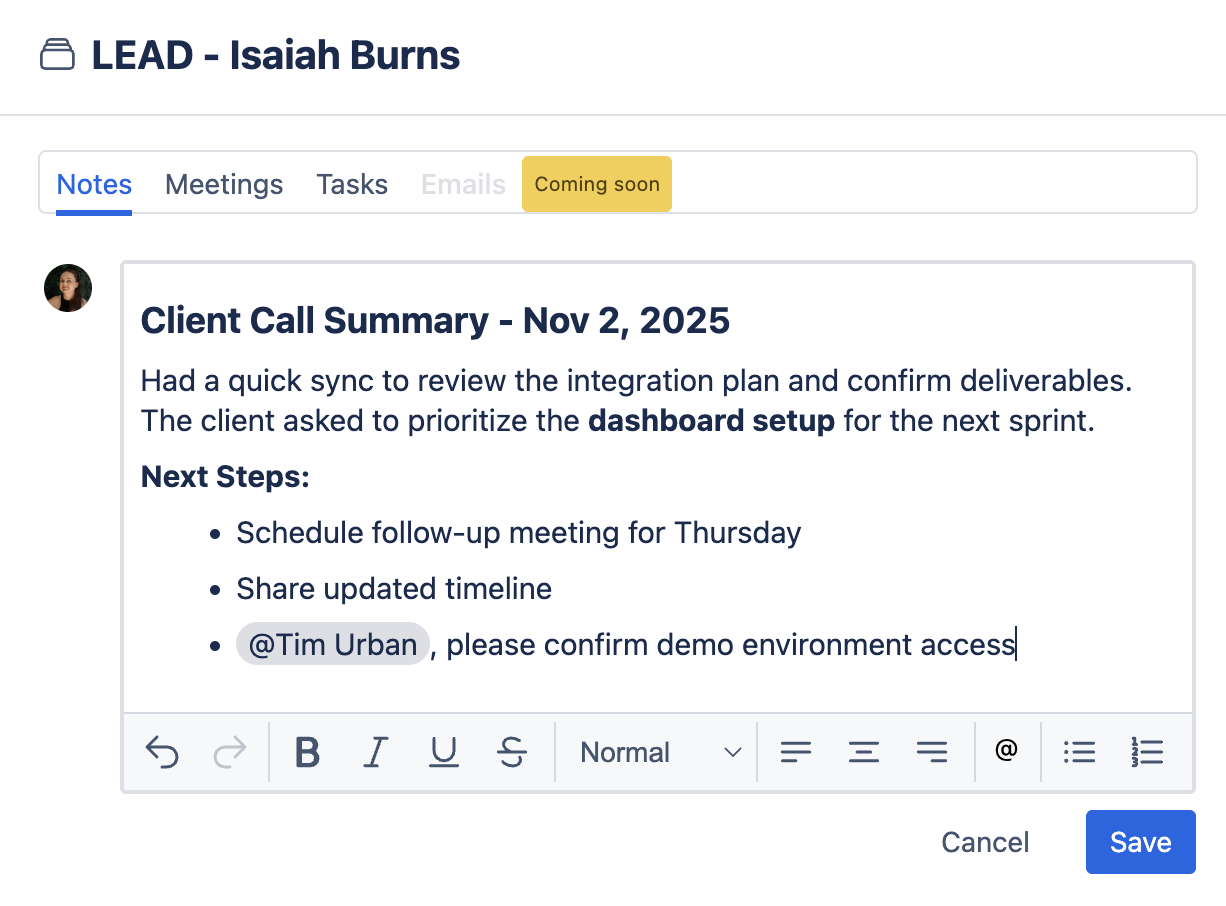
What this enables
- Key updates stay tied to the right Lead, Deal, Contact, or Company
- Mentioned teammates receive a notification inside Mria CRM
- Follow-ups and coordination move out of chats and into context
- Handoffs between sales, CS, and operations become clearer
Notes become more than a static log; they become a shared workspace for internal communication tied to real customers.
New Feature: Confluence Integration (Pages, Spaces, Live Docs)
Confluence is widely used across organizations not only by documentation teams, but by sales, customer success, operations, marketing, and product teams for:
- Customer briefings
- Discovery notes
- Renewal and expansion plans
- Account documentation
- Proposal drafts
- Onboarding materials
- Internal processes and playbooks
- Meeting summaries
- Cross-functional planning pages
- Strategy and decision logs
Until now, this content lived adjacent to CRM records, but not connected to them.
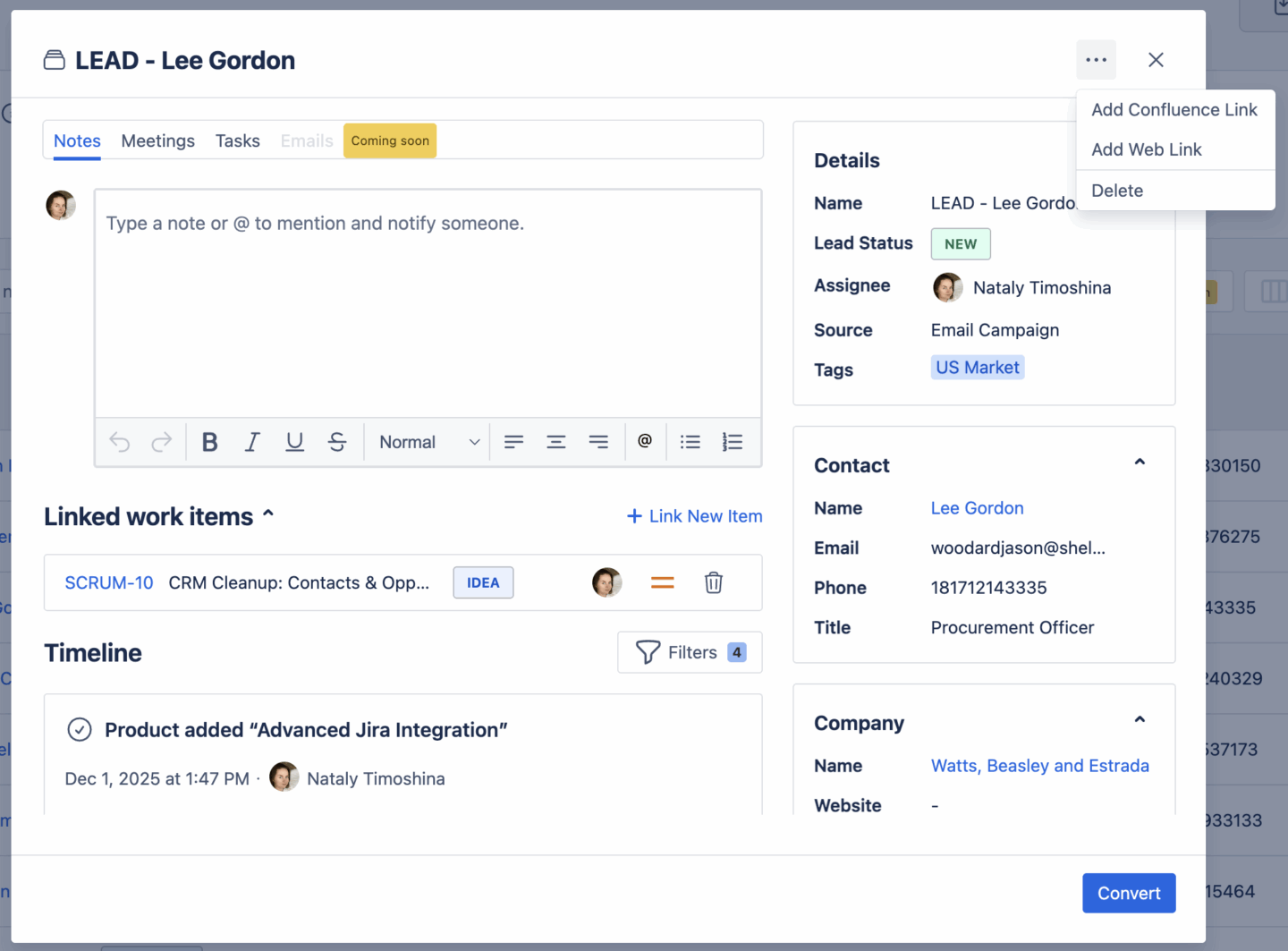
With the new Confluence Integration, teams can link Confluence Pages, Spaces, and Live Docs directly to:
- Leads
- Deals
- Contacts
- Companies
This turns each CRM record into a central place where teams can access the content they rely on throughout the customer lifecycle.
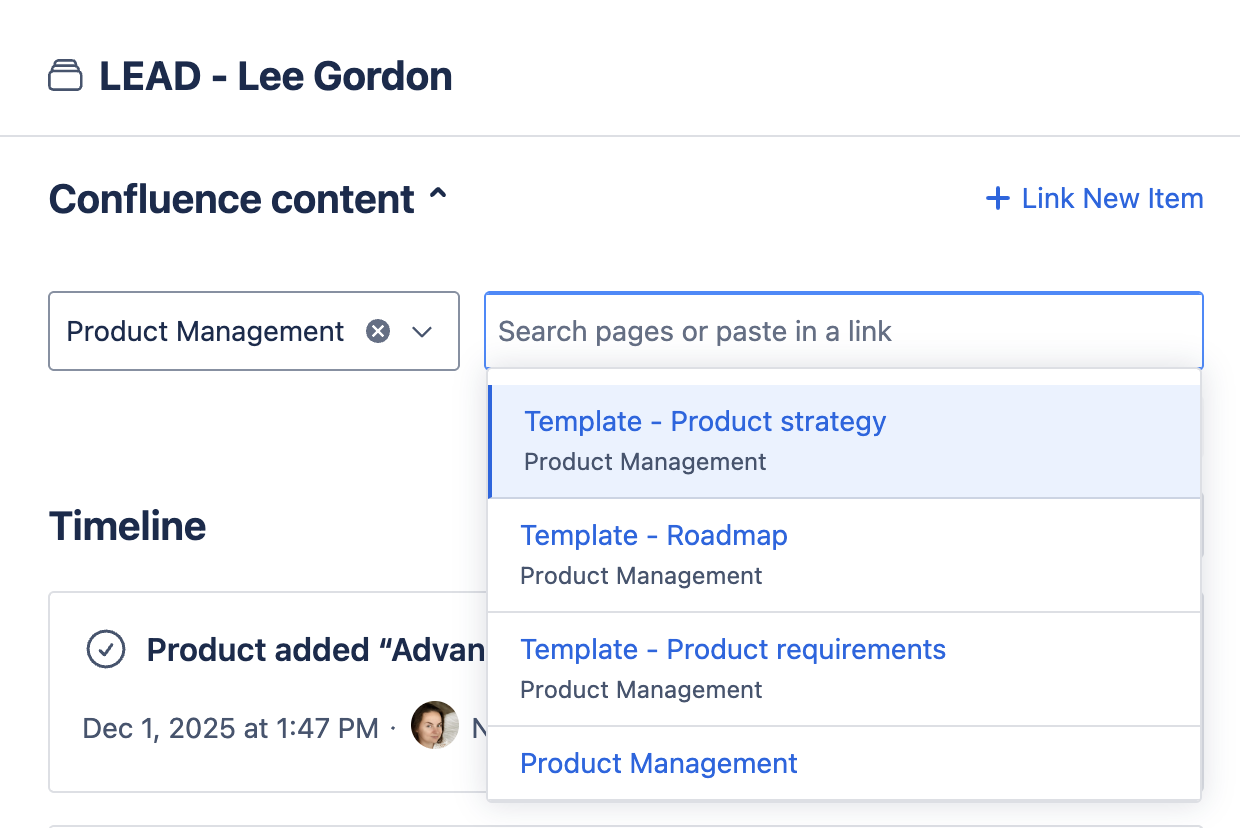
Permission model
Confluence linking in Mria CRM adheres to Confluence’s built-in permissions. Users can only see and link content they already have access to.
Required Step: Connect Confluence
To enable Confluence linking, Jira admin must complete a one-time connection step:
Jira Settings → Manage apps → Mria CRM → Manage connections → Connect Confluence
Once connected:
- Users can search and attach Confluence content directly from CRM records
- Confluence items appear in a dedicated panel
- Multiple pages/spaces/docs can be added to CRM records
This step is only required if your team wants to use Confluence linking.
Full setup instructions are available in the documentation.
New Feature: Web Links
Not all customer-related content lives in Confluence. Many teams rely on external tools — Google Drive, Notion, OneDrive, SharePoint, public websites, dashboards or shared folders.
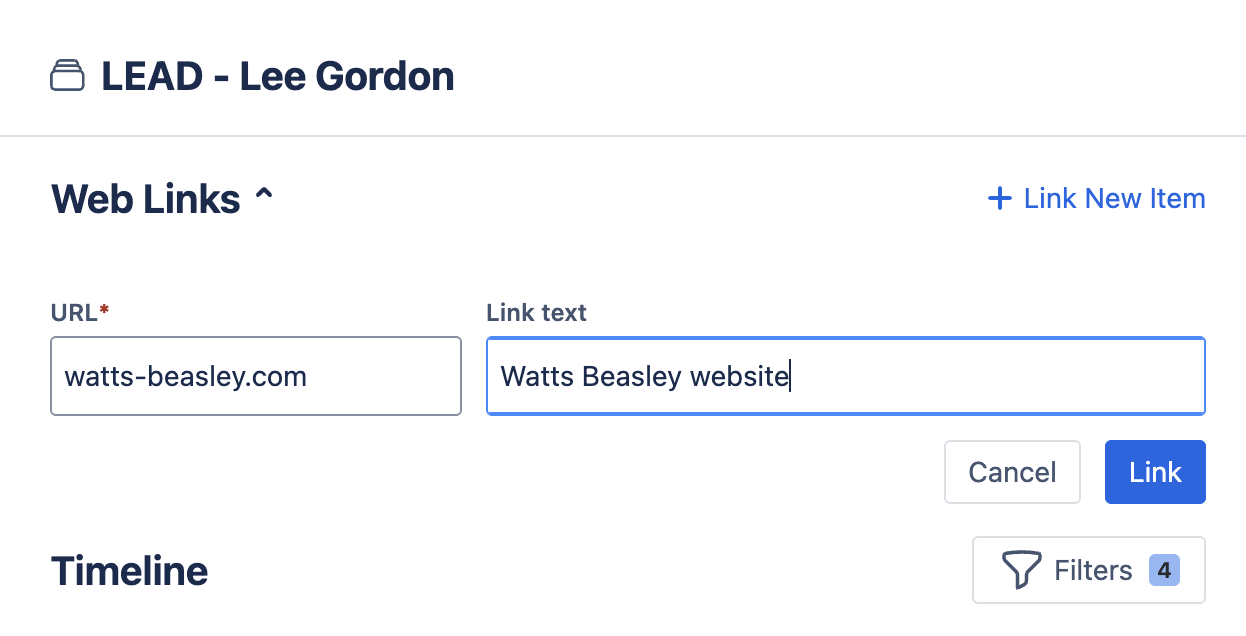
With Web Links, you can attach any URL to Leads, Deals, Contacts, and Companies.
Ideal for:
- Shared folders for onboarding documents
- Reporting dashboards
- External knowledge bases
- Third-party tools used by sales or support
Coming Soon in Mria CRM
We’re already working on the next set of enhancements for Mria CRM. Here’s what’s coming next (full details on the roadmap):
- JSM Advanced Integration – deeper CRM visibility inside Jira Service Management.
- Gmail Integration – capture and log email activity directly from Mria CRM.
- Dashboard – a centralized view of key CRM metrics and insights.
- Website-to-lead automation – automatically send website form submissions into Mria CRM.
Final Notes
With this latest release, we continue our mission to bring customer information, collaboration, and cross-functional context into one place inside Jira. By combining CRM data with Confluence content, mentions and external links Mria CRM becomes a stronger operational hub for revenue, support, and internal teams.
New to Mria CRM? Start a free trial and explore the latest version today.