September 19, 2026 marked one year since Mria CRM went live on the Atlassian Marketplace.
Mria CRM began as our answer to the CRM gap in Atlassian: customer relationships and commercial context still lived separately from the work teams managed in Jira, Jira Service Management, and Confluence.
During the twelve months that followed, customers brought their own sales models, service workflows, team structures, and customer lifecycles into the product. Their input expanded both Mria CRM and our understanding of what the customer layer for Jira needs to become.
This first anniversary is an opportunity to look back at why we built Mria CRM, what the product achieved during its first year, what customers taught us, and where we are taking it next.
The Origins of Mria CRM: The Missing CRM Layer in Atlassian
Atlassian products already covered how organizations plan, build, document, support, and deliver work across teams. Jira provided the structure for execution. Jira Service Management handled service workflows. Confluence kept knowledge connected with the work it supported.
One essential layer was still missing from Atlassian: customer relationship management.
Customer identity, commercial context, communication history, and operational work remained divided between systems. Contacts, Companies, Deals and pipeline activity lived in an external CRM. Support requests, implementation projects, product feedback, and development work lived in Jira. Integrations could move selected fields between the two, but they could not create one connected view of the customer relationship and the work surrounding it.
We recognized this gap because our own company had already lived through it. Jira was the operating environment for our development, support, projects, and delivery. We first tried to keep sales there too, configuring workflows, boards, issue types, and fields to manage inquiries, accounts, and opportunities.
The setup worked until the workarounds became the system. Jira could represent an opportunity as a work item, but Contacts, Companies, Deals, account histories, commercial activities, and CRM reporting had to be simulated through increasingly complex configuration.
We moved sales into a standalone CRM to gain the missing structure. Sales gained proper CRM functionality, while the wider organization lost shared customer context. Commercial information now lived outside Jira. Sales and delivery worked from different systems, and integrations could not fully reconnect the relationship with the work being delivered.
We searched the Atlassian Marketplace for a complete CRM layer and found contact tools and simple pipelines, but nothing that combined structured CRM functionality, a native Jira experience, and a direct connection with operational work.
The need had become larger than our own sales process. Atlassian products connected work across the organization, while CRM remained the missing layer connecting that work with the customer.
By 2025, our team had the Atlassian Marketplace experience and the Forge foundation required to address that gap. We could build CRM directly on the Atlassian platform and design it from the start around the verified hosting, data residency, and egress requirements behind the Runs on Atlassian badge.
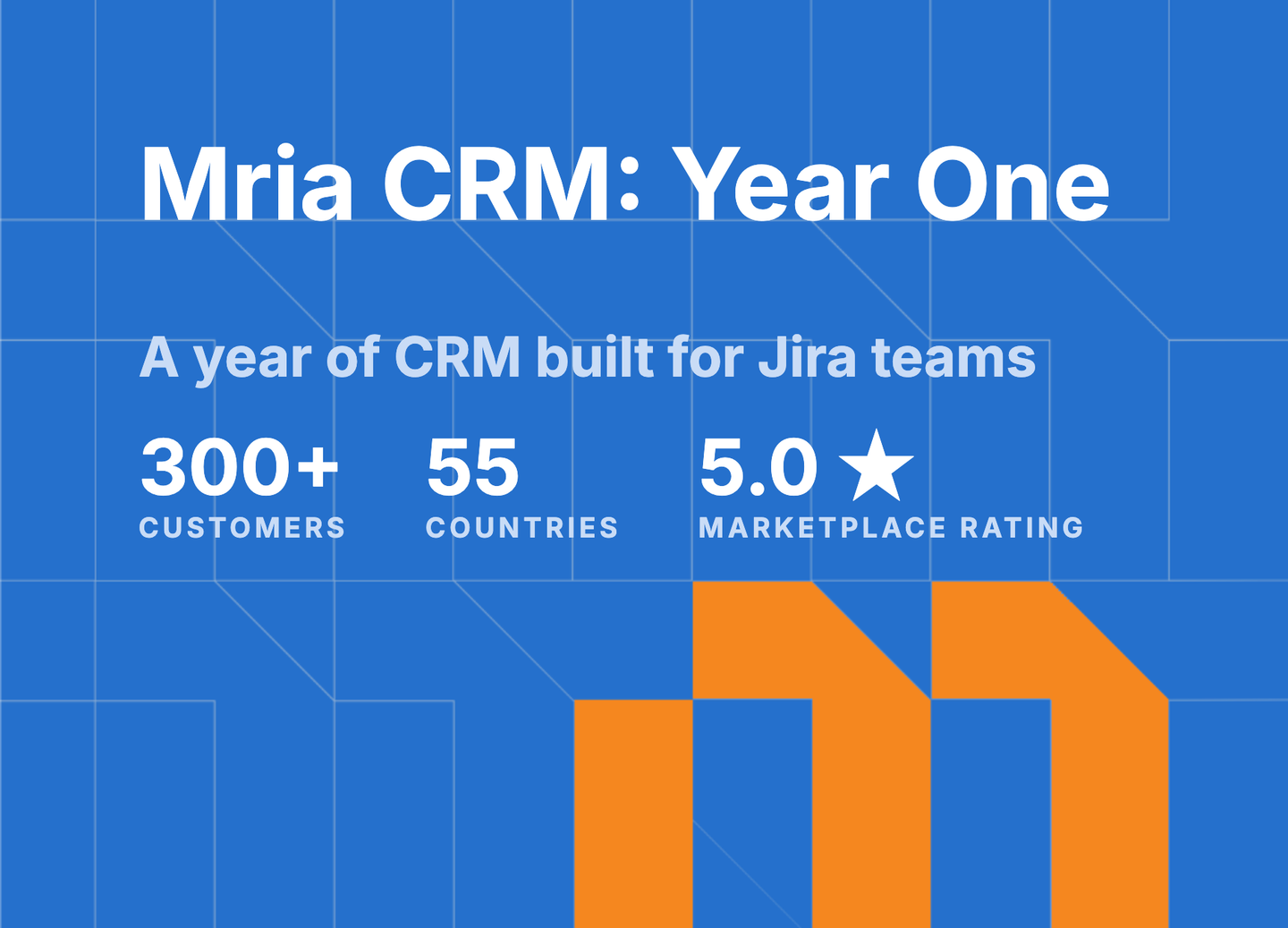
That product became Mria CRM. One year after launch, its first results are visible in several concrete numbers.
Mria CRM’s First Year in Numbers
At the one-year mark:
- 300+ active customer Jira sites using Mria CRM.
- 55 countries represented across EMEA, the Americas, and APAC.
- 25 Atlassian Marketplace reviews, all five-star.
- 61 Mria CRM releases during the first year, averaging one release every six days.
- 51 customer-requested features delivered.
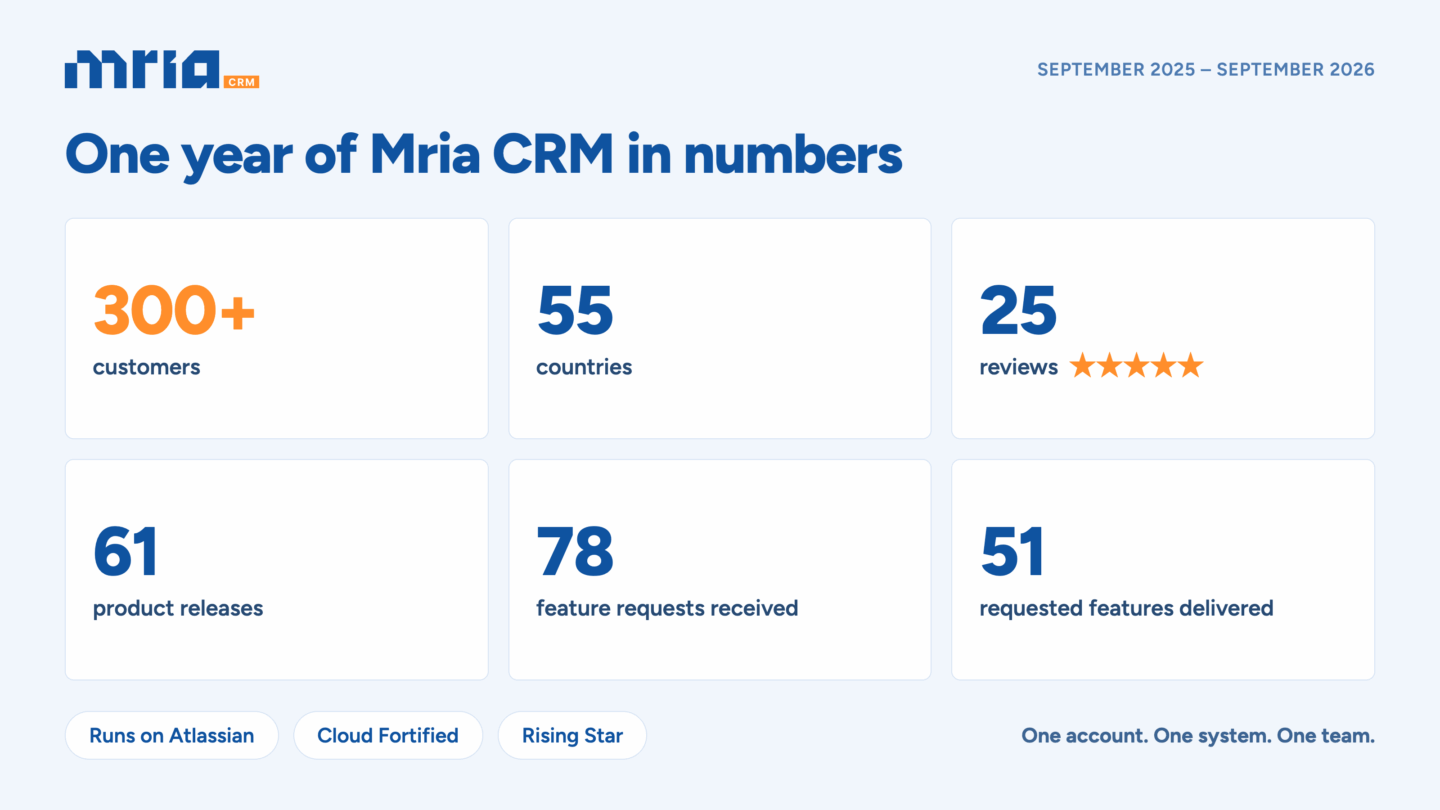
During the same year, Mria CRM earned the Rising Star and Cloud Fortified badges on the Atlassian Marketplace.
These figures describe the product’s reach and public response. The decisions that changed Mria CRM came from the organizations behind them, as customers brought their workflows, constraints, team structures, and customer lifecycles into demos, onboarding, support, and product conversations.
Customers Became Part of How Mria CRM Is Built
Our own experience defined the starting point. Customers made Mria CRM broader, more adaptable, and more relevant to the different ways organizations using Jira operate.
Customer input became a formal source of product decisions. During the first year, we tracked 78 feature requests based on customer feedback. By the anniversary, 51 were already available in Mria CRM.
The most useful feedback was often highly specific.
One team organized its entire relationship around the Company rather than the Deal. Another needed multiple Companies and Contacts involved in one opportunity. Some support teams only needed enough CRM access to understand the customer behind a request. Others wanted support agents to create Leads for sales. Some organizations managed several business models and needed separate pipelines. Others needed precise control over what sales, delivery, support, development, or finance could see and change.
Each request described a local workflow. Taken together, they revealed the product requirements of CRM inside Jira.
Mria CRM had to support different customer lifecycles without forcing every organization into one sales model. It had to serve Jira teams beyond sales without exposing every CRM action to everyone. It had to become more configurable without demanding a dedicated CRM administrator. Most importantly, customer context had to participate in Jira work instead of sitting beside it.
Feedback reached us through product demos, onboarding discussions, support tickets, the in-app feedback form, feature requests, and direct conversations with our team. This gave us a short path from customer need to product decision.
In one published use case, NXI reported seeing most of its requests reflected in the product within three to four months. SeriesX Marketing described its requests being treated as roadmap input, with new capabilities arriving during the months it had used Mria CRM. These are public examples of a feedback loop that has operated across many more customer relationships throughout the year.
Together, these requests expanded Mria CRM at every level: its data model, customer lifecycle, reporting, permissions, integrations, and role within the Atlassian System of Work.
Five Product Lessons From Mria CRM’s First Year
Our release history records a long list of additions and improvements. The more useful way to understand that progress is through the product lessons behind it.
1. CRM Structure Has to Reflect Real Relationships
A pipeline view is only one part of CRM. The harder problem is representing the relationships around it.
Customers needed to connect people with organizations, organizations with several opportunities, opportunities with products, activities with the correct record, and commercial commitments with the Jira work created after a sale. Some Deals involved more than one Company. Some account relationships continued across several Deals and delivery projects. Some teams qualified prospects differently across separate lines of business.
This led Mria CRM to develop beyond its original entities and pipeline. Custom fields, configurable and multiple pipelines, flexible stages and probabilities, multi-party record relationships, and richer activity histories all support the same outcome: organizations can model the customer relationship they actually have.
The goal is not unlimited configuration. It is enough structure to make CRM data reliable, with enough flexibility to reflect the business using it.
2. Customer Context Must Follow the Whole Lifecycle
Customers repeatedly brought the conversation to work that happens outside the sales pipeline.
For a service company, Closed-Won begins delivery. For a SaaS company, a support request may reveal a new stakeholder, an expansion opportunity, a renewal risk, or a product issue affecting an important account. For an account-based business, one Company can return with new Deals and projects over several years. Product and development teams may need to understand which customers are affected by a feature request, bug, or dependency.
That reality influenced how Mria CRM evolved. Contacts and Companies gained Tasks, Meetings, and Timelines. Gmail and Outlook connectors brought customer conversations into the relevant CRM record. Jira work items, spaces, boards, Confluence spaces and pages, files, and web links could remain attached to the customer relationship. Jira Service Management and Customer Service Management workflows gained direct access to customer and commercial context.
Mria CRM was becoming useful across a lifecycle that begins before qualification and continues through delivery, support, retention, and expansion.
3. Reporting Must Connect Sales Results With Jira Work Behind Them
As customers brought more of their CRM process into Jira, another requirement became clear: recording activity was only part of the job. Teams also needed to understand the pipeline’s condition, recognize performance changes, and connect commercial outcomes to the work being delivered.
During the first year, reporting in Mria CRM developed into several complementary layers. The Sales Dashboard provides a shared view of pipeline value, won and lost Deals, revenue, win rate, conversion, sales cycle length, and other key indicators. Configurable Reports allow teams to examine the records behind those results and export the data for further analysis.
Reporting also began to connect commercial performance with operational execution. The Linked Jira Work Items by Deals report brings the Jira work associated with each Deal together with its stage and commercial value. This allows teams to examine customer commitments and the work required to fulfil them within the same context.
The lesson was broader than the need for additional charts. CRM reporting inside Jira should help teams move from records to decisions while preserving the connection between sales results, customer relationships, and the work behind them.
4. Flexible Workflows Need Clear Access Boundaries
Broader participation creates a second requirement: clear boundaries.
A developer investigating a customer-reported bug may need to see the related Company without editing commercial data. A delivery team may need to update implementation information. A support agent may need to create a Contact or Lead. Finance may require access to closed Deals and reports without permission to change pipelines or sales settings.
The permission model therefore had to become as flexible as the workflow model. Custom user roles in Mria CRM now let admins combine View, Create, Edit, and Delete access across CRM modules and settings, then assign those roles to individual users or Jira groups.
Custom roles are significant because they enable the larger product direction. Customer context can reach more of the organization while each team retains access appropriate to its responsibilities.
5. Customer Context Must Become Part of the Atlassian System of Work
The Atlassian System of Work connects goals, planning, work, knowledge, and AI-assisted collaboration across teams. For customer-facing organizations, that connected context remains incomplete when the work is visible in Atlassian but the customer relationship behind it lives elsewhere.
Early Mria CRM integration connected CRM records with Jira work items. Customer feedback showed that teams needed more than links. They needed customer and commercial context to participate in the way work is found, prioritized, automated, discussed, and completed across Atlassian.
Mria CRM custom fields now bring CRM data directly into Jira work items, where it can be used in JQL, filters, boards, and Jira Automation. Teamwork Graph support makes permitted customer context available through Atlassian’s unified data layer, including Atlassian Search and Rovo. The REST API allows organizations to use the same CRM context in processes beyond the product interface.
A Deal can therefore contribute more than a link attached to a work item. Its customer, stage, value, ownership, and related activity can help teams identify relevant work, understand its customer impact, automate the next step, and make better-informed decisions.
This is how Mria CRM brings customer relationships into the Atlassian System of Work, alongside the goals, knowledge, teams, and operational work already connected there.
The Customer Layer in Real Jira Workflows
Customers bring Mria CRM into different parts of their Jira workflows. The three customer stories published during our first year show three of these entry points: building sales discipline inside Jira, connecting commercial context with delivery, and bringing customer signals into support. Together, they show how the customer layer can support different operating models.
SeriesX Marketing: Making Sales Work in the System the Team Already Used
SeriesX Marketing already managed client delivery in Jira. Sales lived in spreadsheets and, later, a standard Jira project. Both approaches gradually lost accuracy because the tools did not combine CRM structure with a system the team used every day.
With Mria CRM, the agency could place Companies at the center of the relationship, connect recurring opportunities with delivery projects, and make follow-ups and pipeline context visible beyond the founder. The result was sales discipline supported by daily adoption, with customer work and commercial context in the same environment.
NXI: Connecting Commercial Context With Delivery
NXI had built its operating environment around Jira, Confluence, Tempo, and Structure. Sales remained the missing layer.
Mria CRM connected Companies and Deals with projects, work items, boards, and documentation. The relationship between a commercial commitment and the work created after it became easier to follow. NXI’s experience also demonstrates the development model behind Mria CRM: direct access to the product team, fast responses to feedback, and requested improvements delivered within months.
A SaaS Company: Recognizing Customer Signals Inside Support
In our Jira Service Management customer story, the starting point was an incoming support request.
The support team needed to recognize whether the requester was an existing customer, a new stakeholder, a trial user, or a prospect connected to an active sales conversation. CRM context inside the JSM workflow improved triage and made customer signals available to sales and customer success without requiring a separate handoff or search in another system.
The three workflows differ, but the underlying need is consistent. Customer relationships influence work across the organization, and the relevant context is most useful where that work already happens.
The Customer Layer for Jira: Identity, History, Commercial Context, and Work
The first year gave us clearer language for the product we are building.
The customer layer connects five kinds of context across Jira:
- Identity: the Contacts and Companies behind the work.
- Commercial context: Leads, Deals, Products, pipelines, value, stage, and ownership.
- Relationship history: tasks, meetings, notes, email, files, and decisions.
- Operational work: Jira work items and boards, service requests, delivery projects, and Confluence knowledge.
- Action and control: permissions, reporting, JQL, automation, search, AI, and APIs.
Jira already tells an organization what work is happening, who owns it, and how it is progressing. The customer layer adds who that work affects, what relationship surrounds it, what has been promised, and why it matters.
Each team uses that layer differently. Sales manages opportunities. Support identifies the customer behind a request. Delivery connects commitments with execution. Product sees the accounts asking for a capability. Development understands the customer impact of a bug or dependency. Leadership sees more of the lifecycle without reconstructing it across separate systems.
This is the idea that now connects the work completed during the first year. Flexible CRM structure, activity history, email, Jira and JSM integration, permissions, reporting, search, automation, Teamwork Graph, and Rovo are parts of one system for keeping customer relationships connected with execution.
Where Mria CRM Goes Next: Smarter Workflows Across Atlassian
The first year established the foundation of Mria CRM: customer records and relationships, configurable pipelines, communication history, reporting, permissions, and direct connections with Jira work.
Year two has one product goal: make that customer layer active across the Atlassian System of Work.
An active customer layer should recognize meaningful signals, keep customer information current, help teams decide what requires attention, and initiate the next action. Three priorities define that direction.
Turn Customer Signals Into Coordinated Action
A new service request, an unanswered email, a scheduled meeting, a Deal with no recent activity, or a change in Jira can all require a response.
Deeper automation, automated Lead creation, calendar connectivity, and configurable notifications will allow Mria CRM to respond to these events and coordinate the next step. Customer information can remain current as work happens, while the appropriate sales, support, delivery, or customer-facing team receives a clear action.
The aim is to reduce the operational effort required to maintain CRM without reducing the quality of the data teams rely on.
Make CRM Reporting Adapt to the Business
The first year introduced Sales Dashboards, configurable Reports, CSV exports, activity dates, and reporting on Jira work linked to Deals.
The next stage is greater control over how organizations measure pipeline health, revenue, conversion, team activity, and the relationship between commercial commitments and delivery. Customizable dashboards and reports will allow each organization to build views around its own sales model, management questions, and operating cadence.
Reporting will become a working part of how teams review performance and make decisions inside Jira.
Extend Customer Context Across Atlassian Workflows
Mria CRM custom fields, Jira Automation, Teamwork Graph, Rovo, and the REST API established several ways for CRM data to participate in work beyond the Mria CRM interface.
The next year will expand that reach. Planned connections with Jira Product Discovery, two-way Confluence workflows, Jira Home, and Jira Assets will bring customer identity, commercial context, and relationship history into more of the places where teams plan, document, prioritize, and deliver work.
The same customer relationship can then inform a sales decision, a support interaction, a product priority, a delivery plan, or an automated Jira workflow without being reconstructed separately by each team.
Our public roadmap will continue to respond to customer input. These three priorities provide the direction behind it: CRM that reacts to customer activity, reporting that reflects how the business operates, and customer context that travels across the Atlassian System of Work.
Closing the Distance Between Customer Relationships and Jira Work
Mria CRM began with a gap we had experienced in our own company. Its first year showed how many forms that gap takes once sales, service, delivery, product, and development all need to understand the same customer relationship.
Our long-term direction is now clear: customer relationships should become a native part of the Atlassian System of Work. Customer identity, commercial context, communication history, commitments, and operational work should remain connected throughout the lifecycle. Each team should be able to use the context relevant to its responsibilities, while reporting, automation, search, and AI work with the same trusted foundation.
This direction will guide how we evaluate every addition to Mria CRM. It should strengthen the connection between the customer and the work, reduce the effort required to maintain that connection, or help teams act on it with greater clarity.
To every customer who trusted Mria CRM during its first year, explained a workflow, raised a difficult requirement, reported a limitation, wrote a review, or shared a story with us: thank you. You helped make the customer layer for Jira concrete, shaped by real workflows and built inside the platform where the work already happens.
One year in, Mria CRM has a stronger foundation and a clear responsibility: close the distance between the customer relationship and the work an organization performs around it. That is the product we will keep building.
Ready to Build Your Sales Process Inside Jira?
Manage Leads, Deals, Contacts, Companies, follow-ups, and related delivery work in one Jira-native CRM.