Deals that move when the work does #
When delivery work is tracked in Jira, it already knows things sales wants in the CRM: the pilot is done, the release shipped, the project slipped. These flows write that into the Deals the work belongs to.
They find Deals through links, so link the epic or project work item to its Deal first — from the Deal’s Linked items, or with Link item to Mria CRM record in a flow.
1. Pilot epic done → move the Deal forward #
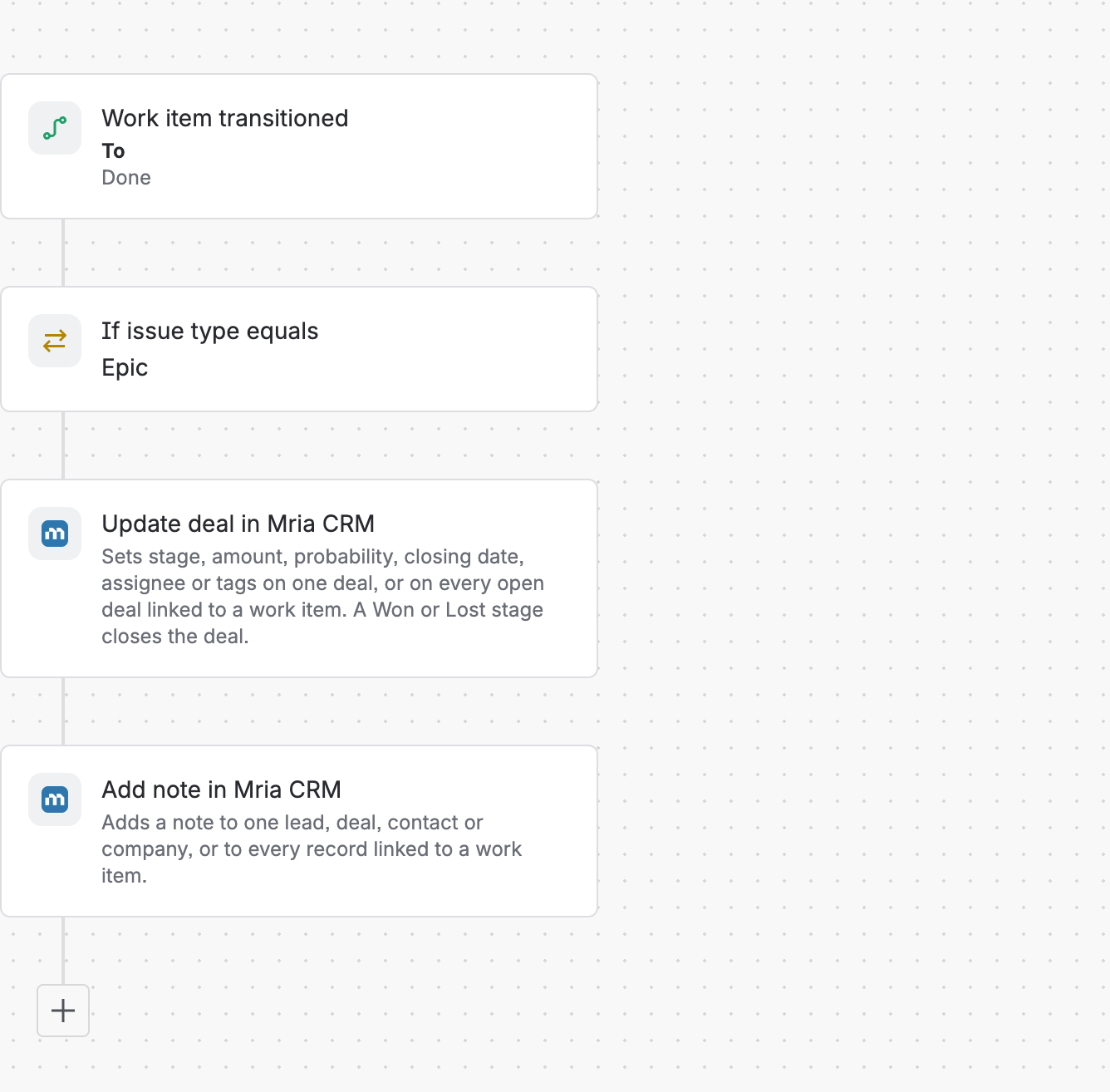
- Trigger: Work item transitioned, To Done, in the delivery space.
- Condition: Issue type equals Epic.
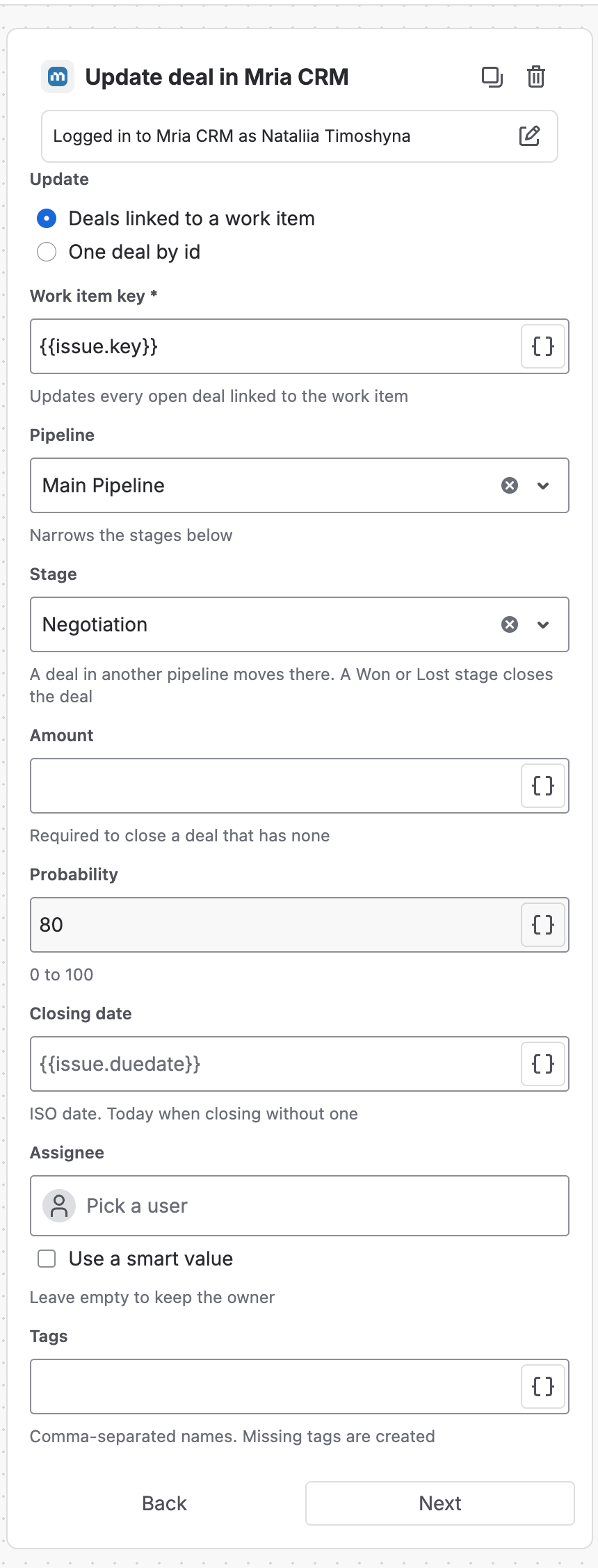
- Update deal in Mria CRM:
| Field | Value |
|---|---|
| Update | Deals linked to a work item |
| Work item key | {{issue.key}} |
| Pipeline / Stage | Main Pipeline / Negotiation |
| Probability | 80 |
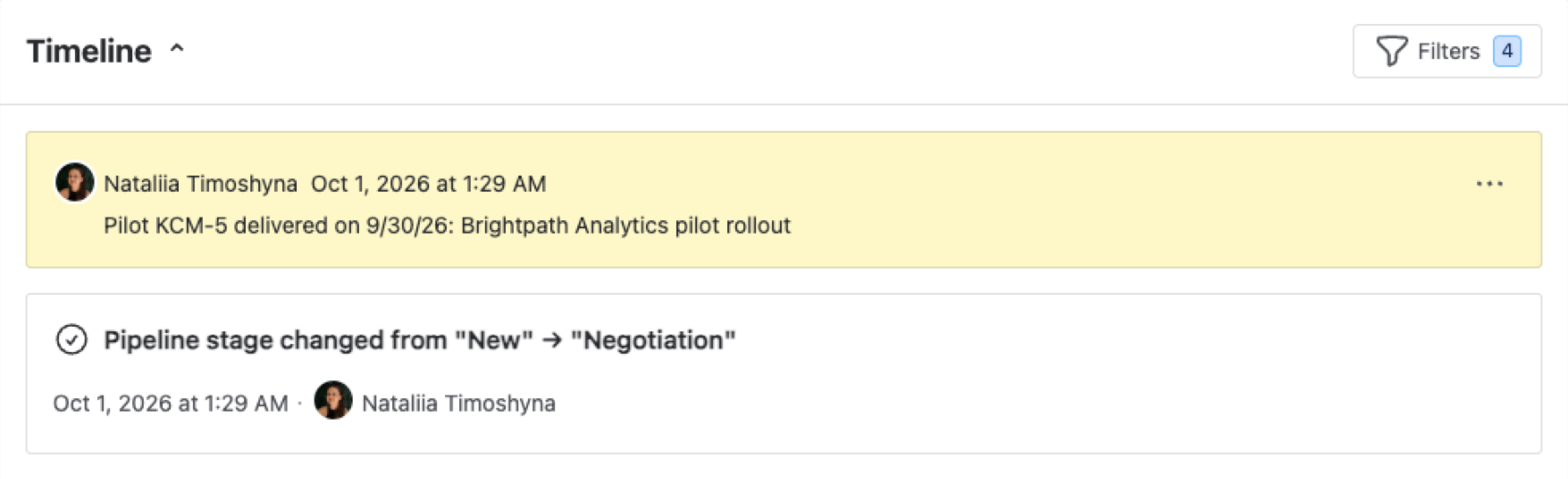
Then Add note in Mria CRM — Records linked to a work item, Record type Deal, Work item key {{issue.key}}, content Pilot {{issue.key}} delivered on {{now.shortDate}}: {{issue.summary}}.
Moving the epic to Done runs the flow; its audit log shows each step:

Result: the Deal moves to Negotiation with 80% probability — so its weighted amount and the forecast follow — and its timeline says why:
Probability is an override
A Probability set by the step is stored on the Deal, and the Details panel then reads 80% (overridden) even where the stage’s own default is also 80%. Leave Probability empty when the stage default should apply.
By work item, Update deal changes every open Deal linked to the epic. Deals already Won or Lost are skipped, and {{updatedMriacrmDeal.updatedCount}} tells you how many were changed.
2. Version released → close delivery-gated Deals as Won #
For contracts that are won on delivery.
- Trigger: Version released.
- Branch: For JQL —
fixVersion = "{{version.name}}" AND type = Epic AND labels = contract-deliverable. - Update deal — Work item key
{{issue.key}}, Stage Won. - If
{{updatedMriacrmDeal.closed}}equals true: Add noteShipped in {{version.name}}.
A Deal closes with its own amount and today’s date. One without an amount fails its branch with a readable message and the others still close — set Amount in the step if your Deals may lack one.
3. Flagged epic → push the closing date #
- Trigger: Field value changed — Flagged, on an epic.
- Update deal — Work item key
{{issue.key}}, Closing date{{issue.duedate.plusDays(14)}}, Probability 40.
The forecast moves the moment delivery is at risk, and the Deal owner gets the closing-date-changed notification.
4. New customer project → open its Deal #
When delivery starts before sales has logged the Deal:
- Trigger: Work item created, type Epic, in the customer projects space.
- Search records — Record type Deal, Work item key
{{issue.key}}, Stage type Open. - If
{{fetchedMriacrmRecordsList.size}}equals 0: Create deal — Deal name{{issue.summary}}, your delivery pipeline and first stage, Closing date{{issue.duedate}}, Work item key{{issue.key}}.
The Search guard keeps a re-run from opening a second Deal.
5. Hand the Deal to the delivery lead #
Trigger: Work item assigned, in the onboarding space. Update deal — Work item key {{issue.key}}, Assignee: tick Use a smart value and enter {{issue.assignee.accountId}}. The new owner gets the Mria CRM assignment notification.
Related Pages #
- Deals — stages, probability and weighted amounts.
- Pipelines Configuration — stages and their default probabilities.
- Automation Actions Reference — every field of Update deal, Create deal and Search records.


