ℹHow the Activities Module Works in Mria CRM for Jira #
The Activities module in Mria CRM is a quick overview of all current work assigned to you — including CRM activities, Jira tasks, Leads, and Deals.
It’s designed to help you stay focused on what matters most and track your daily progress without switching between views.
Overview #
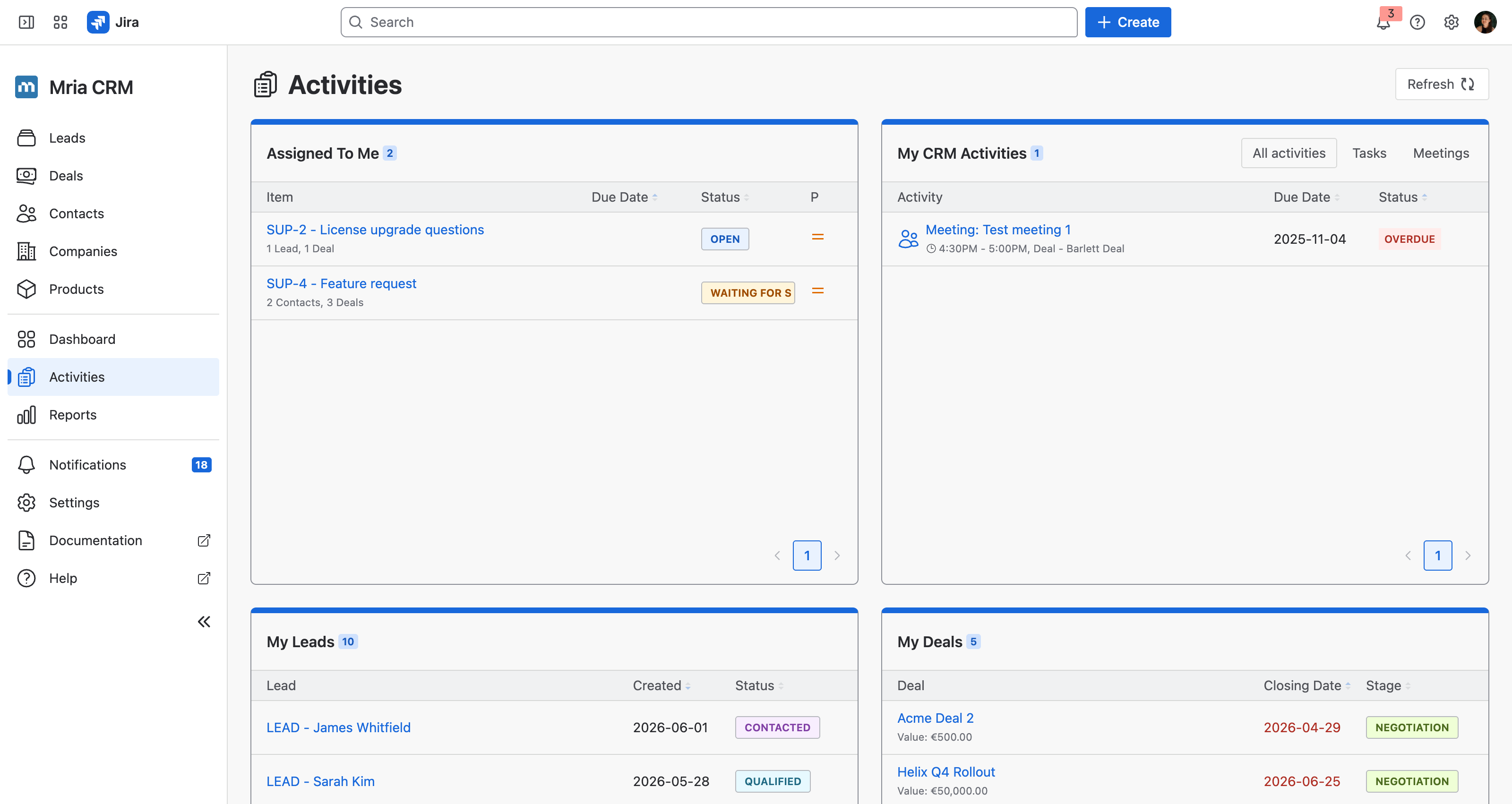
The page is divided into four sections, each helping you monitor different aspects of your work:
| Section | Description |
|---|---|
| Assigned to Me | Displays Jira work items currently assigned to you that are linked to any CRM record — Deals, Leads, Contacts, Companies or Products. |
| My CRM Activities | Shows your CRM-specific tasks and meetings, wherever they were created — on a Lead, a Deal, a Contact or a Company. Use the Filters button to toggle between Tasks and Meetings if you prefer a focused view. |
| My Leads | Lists Leads assigned to you, along with their creation date and status. |
| My Deals | Lists your active Deals, showing their value, closing date, and current pipeline stage. |
Sorting & Interaction #
Each section supports sorting by columns such as Due Date, Status, Created, or Stage.
You can also open any record directly by clicking its name — whether it’s a Lead, Deal, or linked Jira issue.
Tip
Use the Activities module as your daily dashboard to keep track of both CRM and Jira work in one place.
Related Pages #
- Activities Breakdown – Learn more about types of CRM Activities (Tasks, Meetings, Notes, Files, and Jira links).
- Deals – See how Activities are managed within Deals.
- Leads – Understand how Activities help you nurture potential customers.


