Ask questions about anything in your CRM #
Reading never changes data and never asks for confirmation. Ask in full sentences and combine as many conditions as you need: the assistant translates each one into a CRM filter, looks up names such as statuses and stages first, and reads further records when a question needs more than one list.
1. Questions that combine conditions #
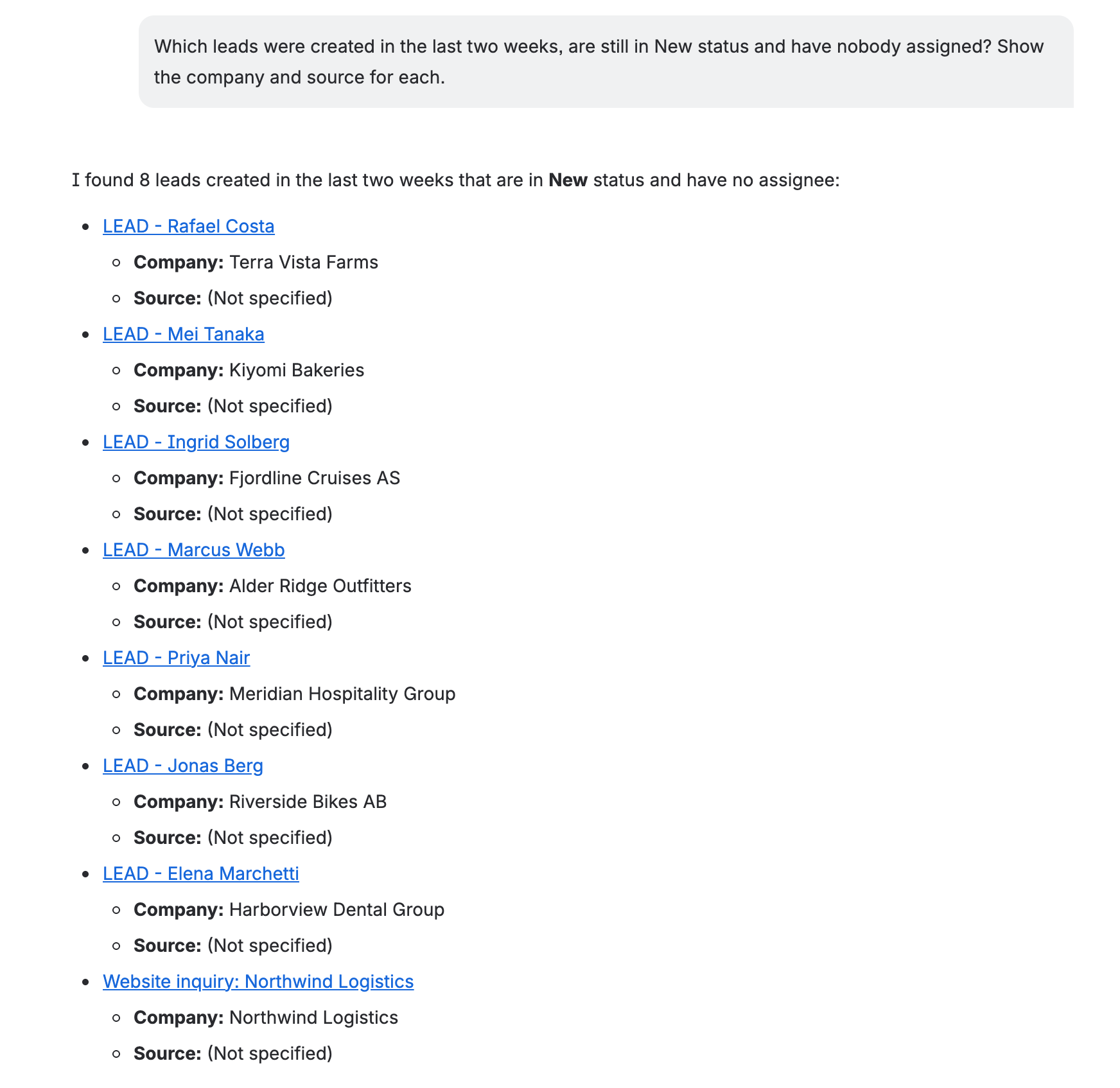
One question, three filters — created date, status and no owner — and the two columns asked for:
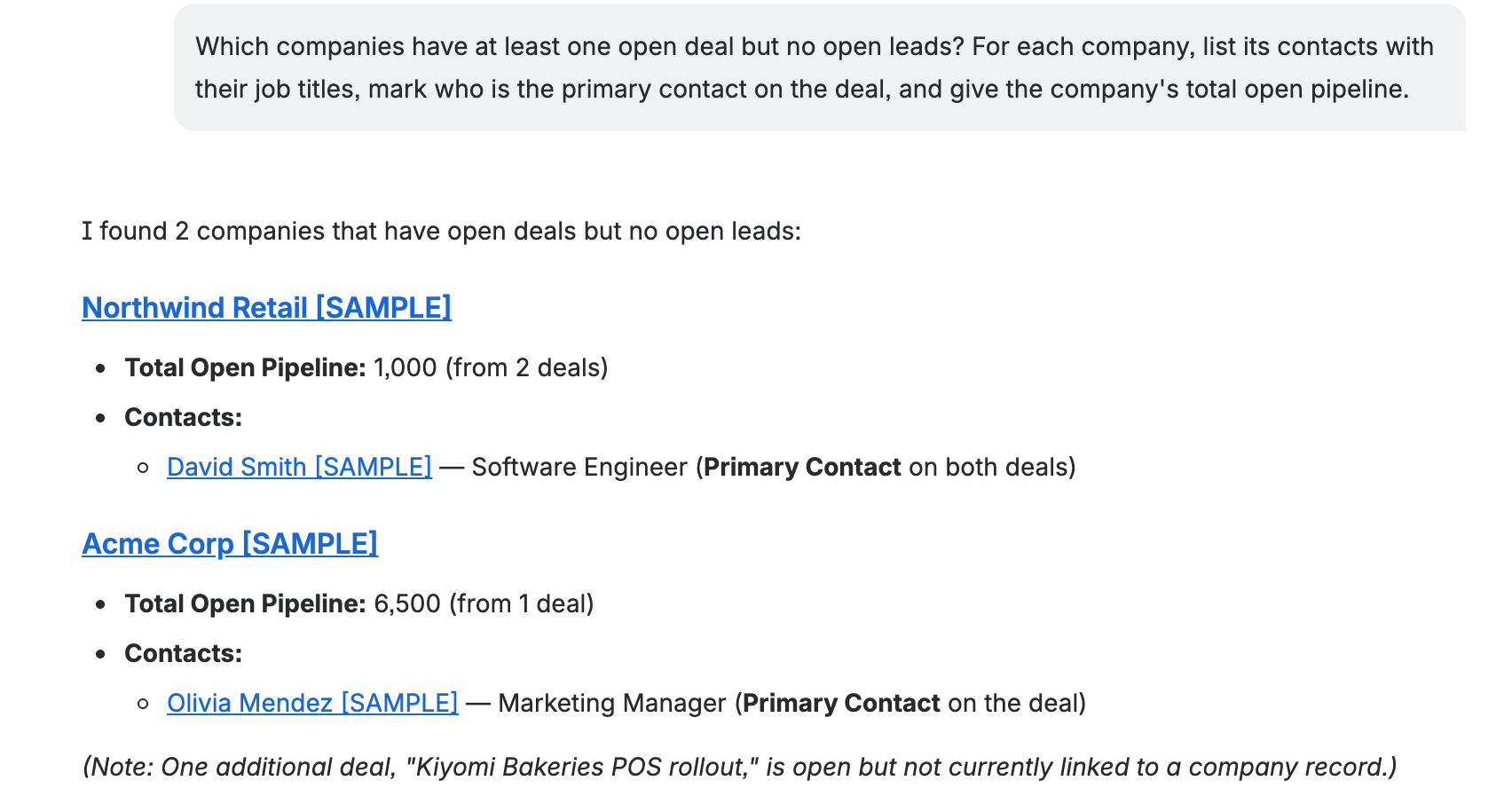
Conditions can reach across records. Here the assistant compares the open Deals and the open Leads of every Company, then reads each Company’s Contacts:
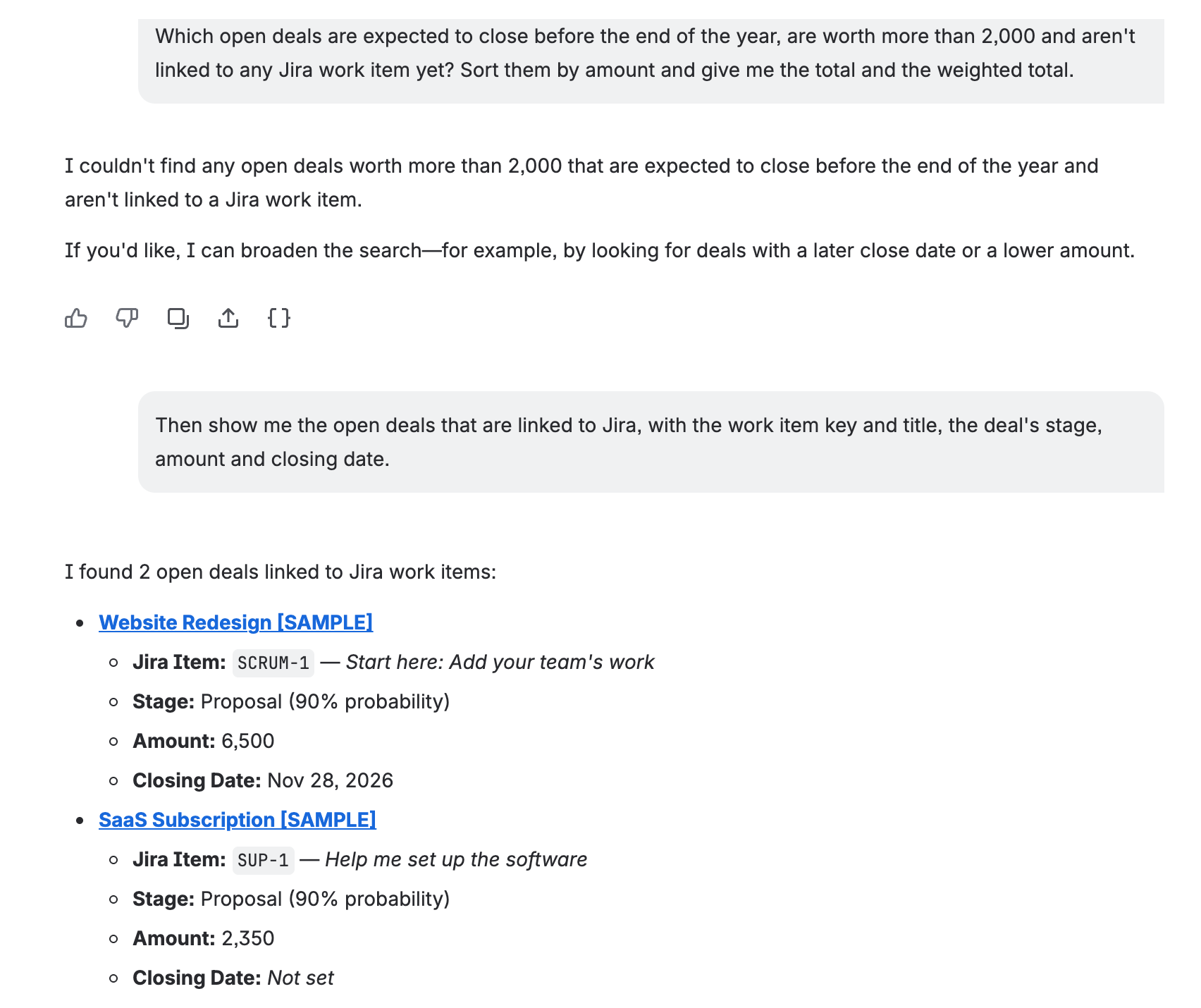
And linked Jira work is a filter like any other. The first answer is honestly empty — the only large Deal closing this year is linked to Jira — so the follow-up asks for exactly those:
2. Example questions by record type #
Replace the names with your own. Every condition below is one the CRM can filter on, so the assistant can answer the whole sentence rather than part of it.
Leads #
| You ask | What the assistant combines |
|---|---|
| “Find all leads John Doe created last week that weren’t converted, and tell me which of them have nothing planned.” | Created date, author, conversion, planned activities |
| “Show my leads from the Webinar source tagged Budget Approved that nobody has touched since September 1.” | Owner (me), source, tag, last updated |
| “Which New or Follow-up leads are interested in CRM Pro Plan but still have no Jira work item linked?” | Status, product, linked work items |
| “Which leads are linked to SUP-142 or SUP-157, and who owns them?” | Jira work item keys |
| “How many leads came from Paid Ads this quarter, and how many of those are now Junk?” | Source, created date, status — counted |
| “List leads whose Region is EMEA and whose Budget is over 10,000.” | Your own custom fields |
Deals #
| You ask | What the assistant combines |
|---|---|
| “Which open deals have had no activity in the last 14 days? Give stage, amount and primary contact, then the total and the probability-weighted total.” | Last activity, stage probability — summed |
| “Show Upsell and Renewal deals in the Enterprise pipeline with a probability between 40 and 70 percent, sorted by closing date.” | Deal type, pipeline, probability range |
| “Which deals include the Premium Plan product and are assigned to Maria or to me?” | Product, owners |
| “Which deals did we lose this quarter, at what amount, and what was the reason each time?” | Closed Lost, closing date, loss reason |
| “What are our win rate, average deal size and sales cycle length right now?” | Deal performance figures |
Contacts and Companies #
| You ask | What the assistant combines |
|---|---|
| “Which contacts at Acme Corp are on an open deal but don’t have a lead?” | Company, open deals, open leads |
| “List the contacts I created this month that still aren’t linked to any company.” | Created by me, created date, no company |
| “Which companies in Norway have open deals but no contacts on record?” | Country, open deals, no contacts |
| “Give me the full picture of Northwind Retail: its contacts, every deal with stage, amount and whether it was won or lost, and any open leads.” | One company across all record types |
Products #
| You ask | What the assistant combines |
|---|---|
| “Which Software products priced between 500 and 2,000 are on open deals, and which companies are buying them?” | Category, price range, open deals, companies |
| “Which of our products are on open deals with Acme Corp?” | Company, open deals |
Activities and history #
| You ask | What the assistant combines |
|---|---|
| “What is planned on the SaaS Subscription deal, and is anything overdue?” | Open tasks and meetings |
| “What changed on the Website Redesign deal in the last week, and who changed it?” | The record’s timeline |
| “Show me the last three notes on the Acme Corp company.” | Notes |
How your workspace is set up #
| You ask | What the assistant combines |
|---|---|
| “What deal pipelines and stages do we have, and what probability does each stage carry?” | Pipelines and stages |
| “Which lead statuses, sources and tags exist?” | Reference lists |
3. Following up #
The chat keeps what it found, so the next question can start from the last answer instead of repeating it:
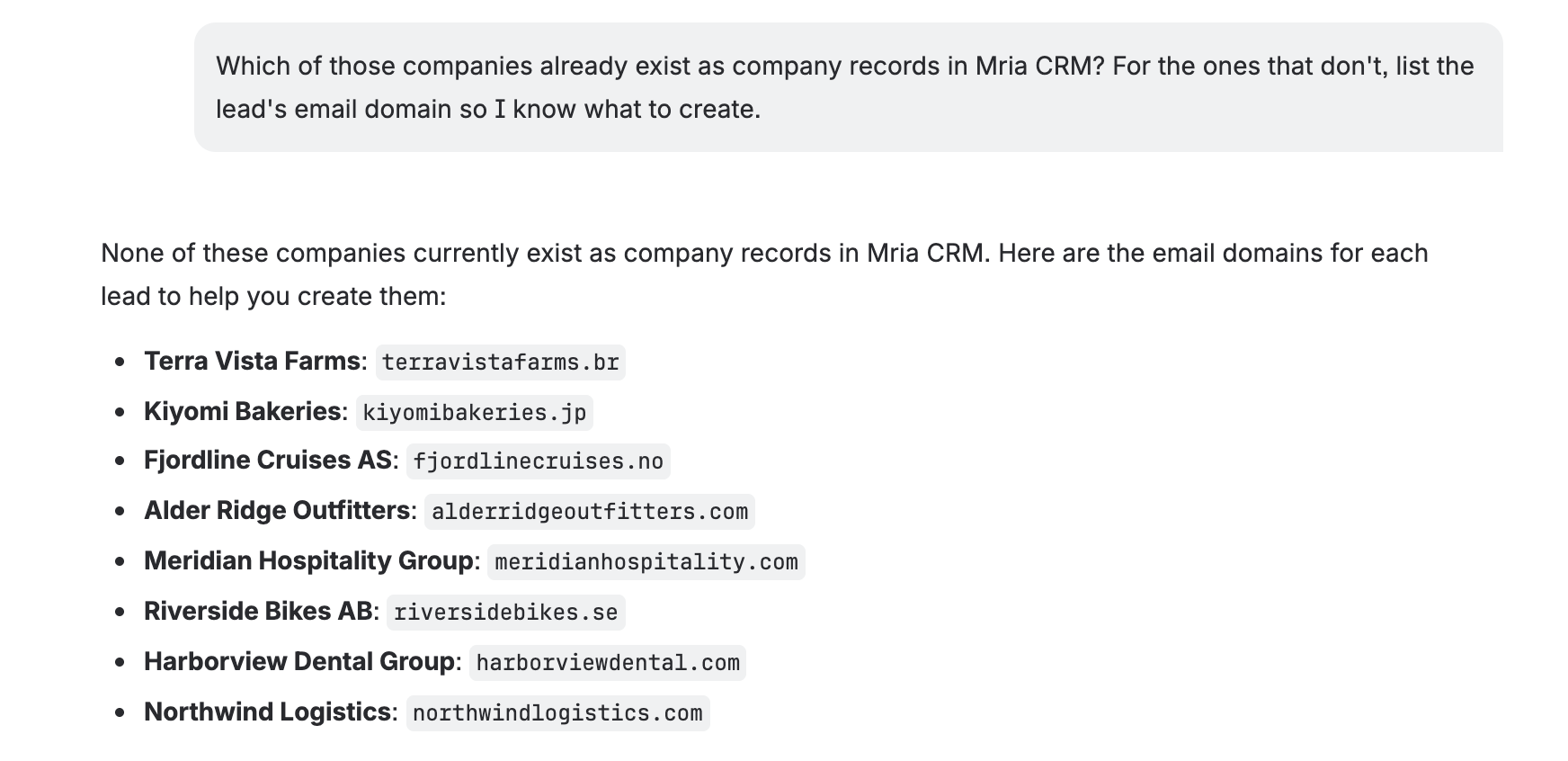
Good follow-ups narrow (“only the ones over 5,000”), widen (“lower the amount to 1,000”), pivot to related records (“which of those companies already exist?”) or move to action (“create those companies”). Rovo also suggests three follow-ups under each reply.
Large result sets
The assistant reads results in pages. For a question that matches hundreds of records, ask for a count or a summary — “how many, by status” — or narrow it, rather than asking for every row. For a full table, use Reports or an export.
Related Pages #
- Rovo: Creating and Updating Records — new records, edits, notes, tasks, conversions and closing deals.
- Rovo: Bulk Changes to Leads — one change on many leads, and the limits that apply.
- Rovo: Complex Requests Step by Step — real multi-step conversations, from triage to a closed deal.
- Rovo: Permissions and Safety — for admins: whose rights apply and what can never happen.
- Rovo Studio: Build Your Own Agent — use the same CRM tools in an agent you design.


