Use Mria CRM’s tools in agents you build yourself #
The tools behind the Mria CRM Assistant are also in Rovo Studio, Atlassian’s builder workspace. Add them to an agent of your own and it can read and change your CRM as part of whatever else you teach it — triaging a service request into a Lead, preparing an account summary before a meeting, keeping Deals in step with delivery work.
1. The tools #
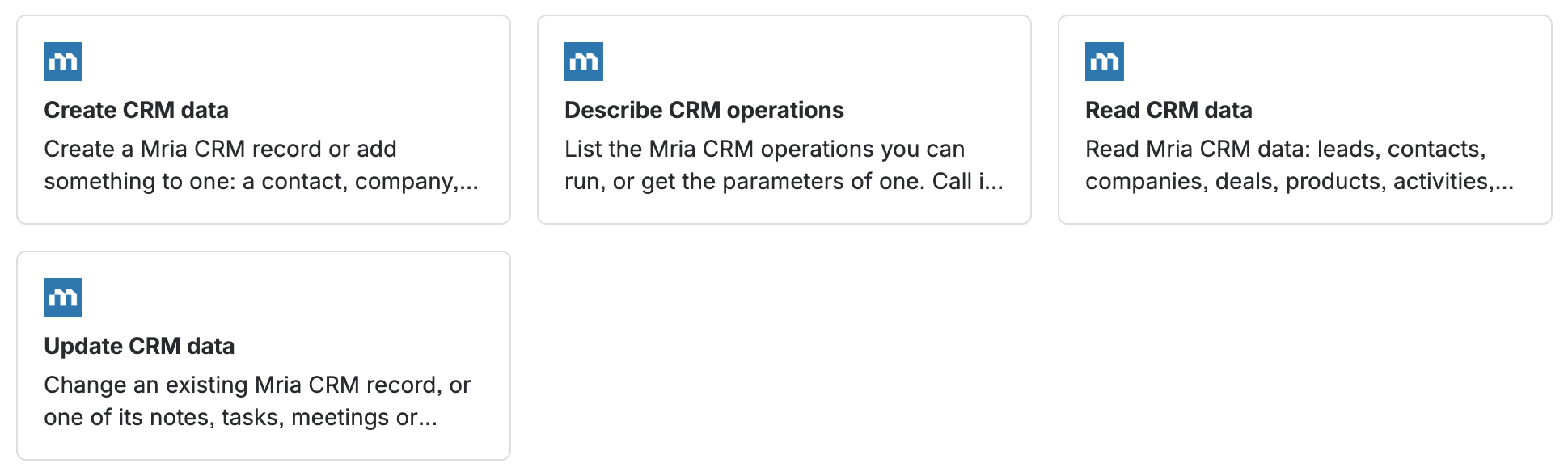
In Studio, open Tools and pick Mria CRM under Connected apps. Four general tools cover every record type:
| Tool | What it does |
|---|---|
| Describe CRM operations | Tells the agent which reads and changes exist and what each one needs. An agent calls it whenever it is unsure. |
| Read CRM data | Any read: lists and searches with filters, single records, notes, tasks, meetings, timelines, linked items, custom fields, reference lists and metrics. Never changes data. |
| Create CRM data | Creates a record or adds something to one — a Lead, Contact, Company, Deal, Product, note, task, meeting or link. Also converts a Lead, closes a Deal and clones a Deal. |
| Update CRM data | Changes an existing record, or one of its notes, tasks, meetings or custom field values. Cannot delete. |
Four more tools change many Leads at once, with the same limits as in the assistant (see Bulk Changes to Leads):
| Tool | What it does |
|---|---|
| Bulk update lead tags | Add, remove or replace tags. |
| Bulk update lead products | Add, remove or replace products. |
| Bulk update lead scalar field | Set status, source or owner. |
| Bulk add lead notes | Add the same note. |
Because the tools are general, a new kind of read or change added to Mria CRM reaches your agents without anyone rebuilding them.
2. Adding them to an agent #
- Open Studio from the app switcher, then Tools in the sidebar — or the tools step of an agent you are editing.
- Under Connected apps, select Mria CRM. You can also type a tool name into the search box.
- Tick the tools you want. Add Describe CRM operations whenever you add any of the other three general tools — it is how the agent learns what it can ask for.
- Click Add.
For an agent that should only answer questions, add Describe CRM operations and Read CRM data and nothing else. It then cannot change data at all.
Tools and skills
In Atlassian’s terms, a tool is one action and a skill is an instruction for how to approach a kind of task, which calls tools. Mria CRM contributes tools. The Mria CRM Assistant adds its own instructions on top — an agent you build writes its own, so give it clear instructions about your workspace: pipeline names, what “my leads” means for your team, and when to ask before acting.
3. Same rules as the assistant #
- The agent acts as the person using it, with that person’s Mria CRM role. Adding a tool to an agent does not grant anyone access.
- Every change goes through Rovo’s Please review card and needs Confirm selected.
- No tool deletes, and changes need an active Mria CRM license.
- Who may build agents in Studio is controlled by your Atlassian admins, not by Mria CRM — see Atlassian’s agents documentation.
Full detail: Permissions and Safety.
4. Troubleshooting #
An agent built with Create lead, Search leads or Update lead stopped working #
Those single-purpose tools have been replaced by the general ones. Open the agent, remove them, and add Describe CRM operations, Read CRM data, Create CRM data and Update CRM data. They do everything the old tools did, on every record type.
Each Mria CRM tool appears twice #
Your site has more than one Mria CRM installation — a staging copy, for example. Each one contributes its own tools under the same names. Ask your Jira admin which one is your production CRM before adding tools.
The agent takes several tries to answer #
Without instructions about Mria CRM, an agent explores first: it asks Describe CRM operations what exists, then reads. That is normal and the answer is the same; giving the agent instructions about your workspace makes it faster.
No MCP server to add in Studio
The tool picker has a separate MCP section for external servers. In Studio, Mria CRM’s tools arrive through Connected apps instead, because the app already runs inside your Atlassian site. Mria CRM does have an MCP server — for clients outside Atlassian such as ChatGPT and Claude; see Mria CRM MCP server.
Related Pages #
- Mria CRM in Rovo — the ready-made Mria CRM Assistant.
- Rovo: Finding Information — questions across leads, deals, contacts, companies and products.
- Rovo: Creating and Updating Records — new records, edits, notes, tasks, conversions and closing deals.
- Rovo: Bulk Changes to Leads — one change on many leads, and the limits that apply.
- Rovo: Complex Requests Step by Step — real multi-step conversations, from triage to a closed deal.
- Rovo: Permissions and Safety — for admins: whose rights apply and what can never happen.
- Teamwork Graph & Atlassian Search — how CRM records reach Atlassian’s shared data layer.


