Your CRM on a Jira dashboard #
Mria CRM adds thirteen gadgets to Jira dashboards. Put your pipeline next to the sprint burndown, your own open leads and deals next to your work items, or a list of the customers behind this week’s bugs — without opening Mria CRM.
Gadgets are read-only windows onto the CRM. Every row opens its record in Mria CRM, and each viewer sees only what their own Mria CRM role allows.
1. Adding a gadget #
- Open a Jira dashboard and click Edit.
- Click Add gadget and type Mria CRM in the search box. Every Mria CRM gadget is named Mria CRM: …, so they appear together.
- Click Add next to the one you want. Its settings open in place on the dashboard.
- Choose the settings and click Save. Click Done when the dashboard is arranged.
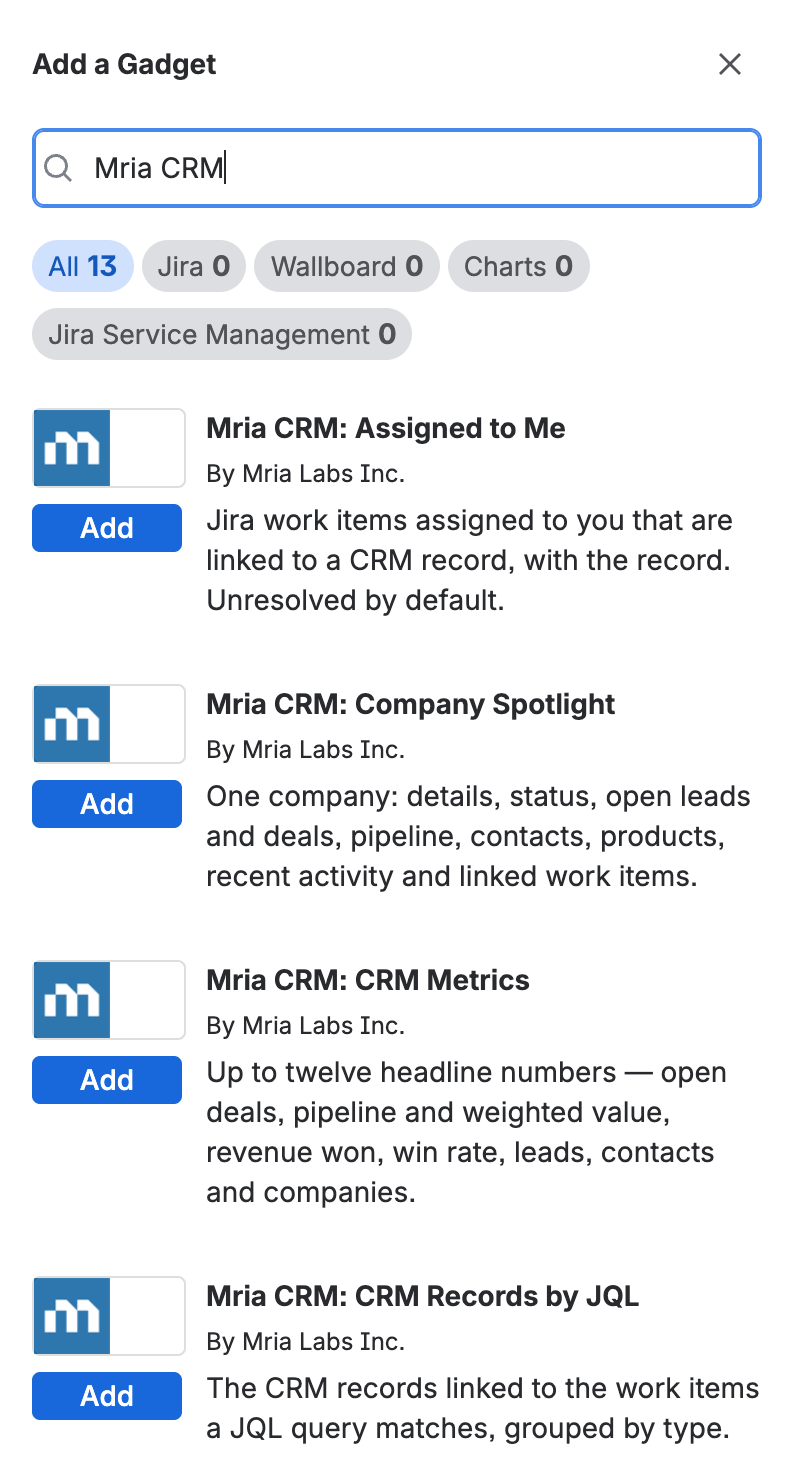
To change a gadget later, click Edit on the dashboard, then ⋯ on the gadget → Configure.
This gadget hasn’t been configured yet
A gadget that has never been saved shows Jira’s own placeholder instead of data. Open its settings and click Save once — even without changing anything.
2. Settings every gadget has #
Each gadget’s settings start with its name and a line saying what it shows, and end with Refresh every (minutes): how often Jira reloads the gadget. The default is 15 minutes; it can be set from 1 to 1,440 (a day). The refresh button in the gadget’s header reloads it at once.
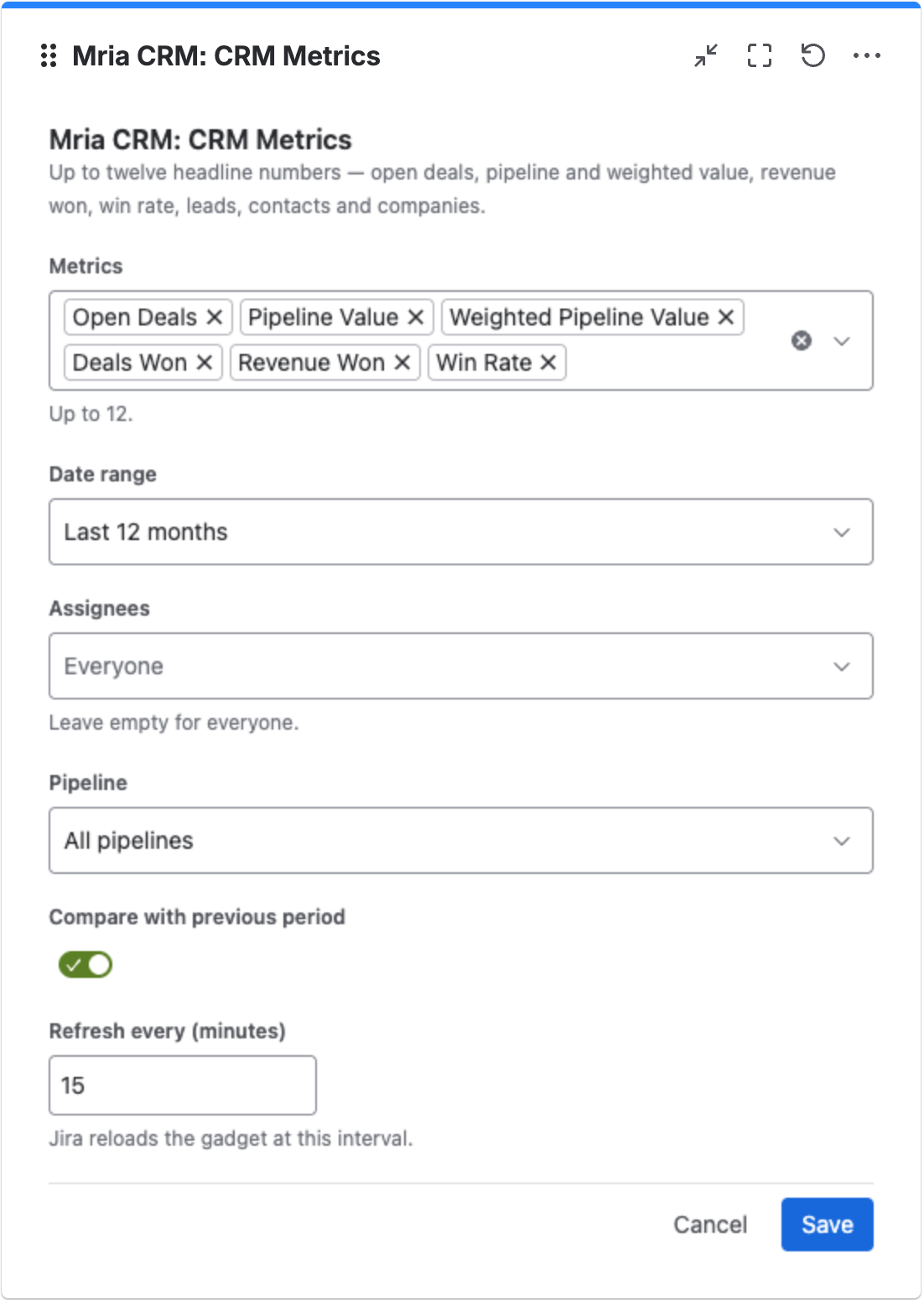
The rest depends on the gadget — the tables below list them. Common ones:
- Date range — All time, Last 7, 30 or 90 days, Last 6 or 12 months, or Year to date.
- Assignees — leave empty for everyone, or pick people.
- Pipeline — one pipeline, or All pipelines. Stages can be narrowed once a single pipeline is picked.
- Show … of — on the “my” gadgets: Whoever views the dashboard, so each person sees their own, or A specific person.
- Rows — how many rows a list shows, up to 50.
3. The gadgets #
Metrics and charts #
| Gadget | Shows | Settings |
|---|---|---|
| CRM Metrics | Up to twelve headline numbers, with the change against the previous period. | Metrics (up to 12), Date range, Assignees, Pipeline, Compare with previous period |
| Pipeline Funnel | Deals per pipeline stage, by count, value or weighted value. | Pipeline, Stages, Show (Number of deals, Value, Weighted value), Date range, Assignees |
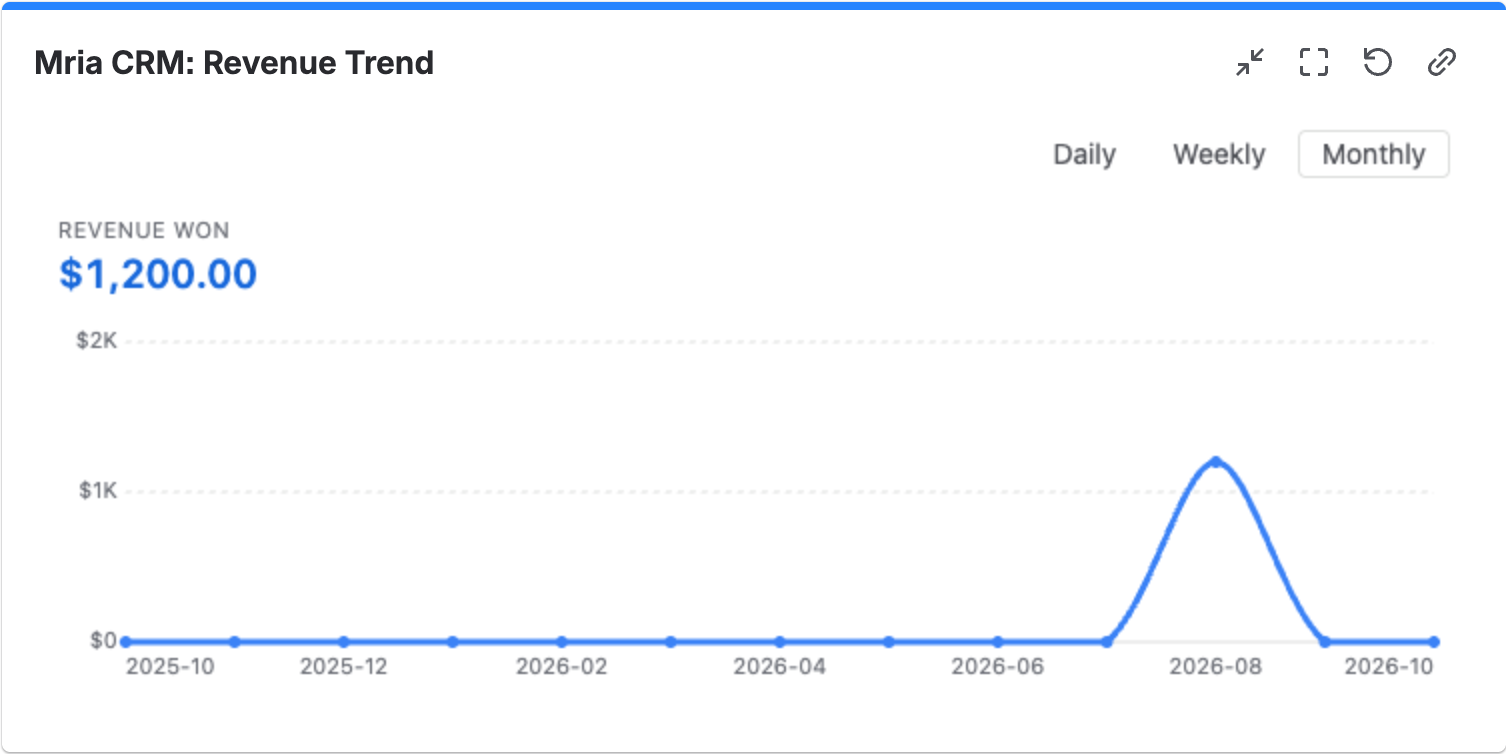
| Revenue Trend | Won revenue over time, with Daily / Weekly / Monthly in the gadget itself. | Group by, Date range (default Last 12 months), Assignees, Pipeline |
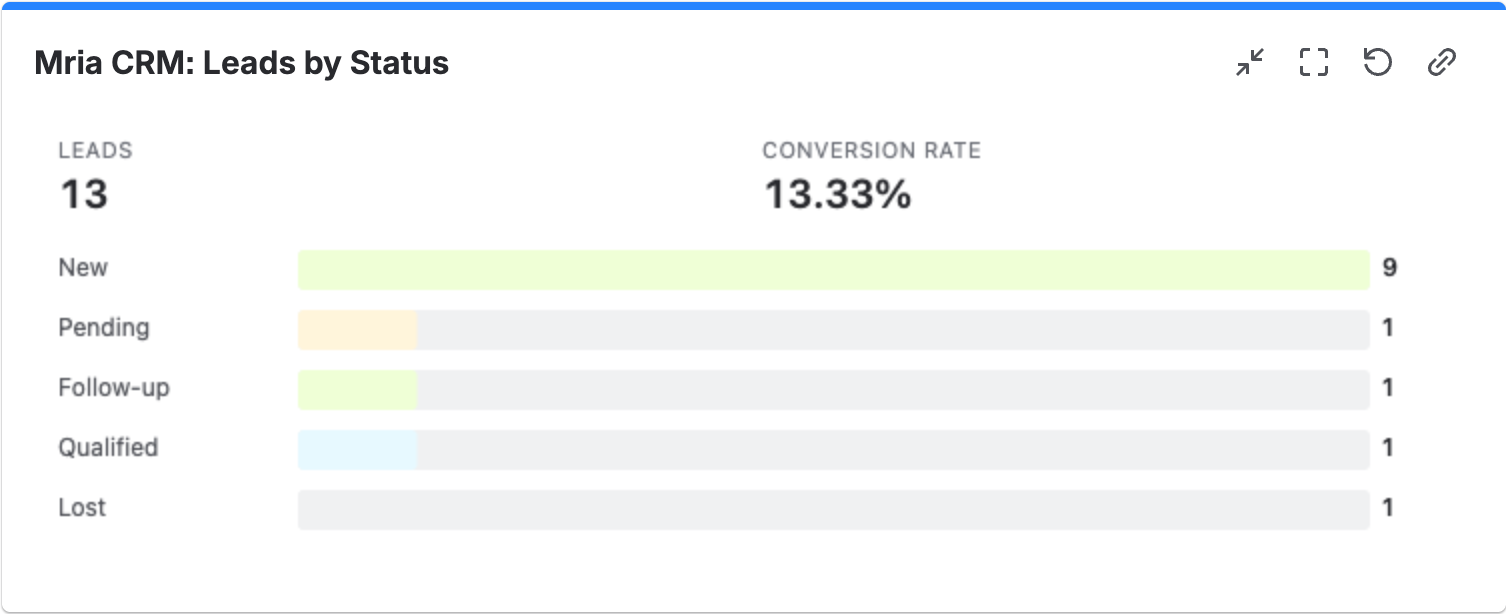
| Leads by Status | Leads per status, with the conversion rate. | Chart type (Bar, Column, Donut, Table), Sort, Leads created in, Assignees, Sources |
CRM Metrics offers the same figures as the dashboard’s KPI cards — Open Deals, Pipeline Value, Weighted Pipeline Value, Deals Won and Lost, Revenue Won, Average Deal Value, Sales Cycle Length, Win Rate, New, Open and Unassigned Leads, Conversion Rate, and Total and New Contacts and Companies — defined on Dashboards.
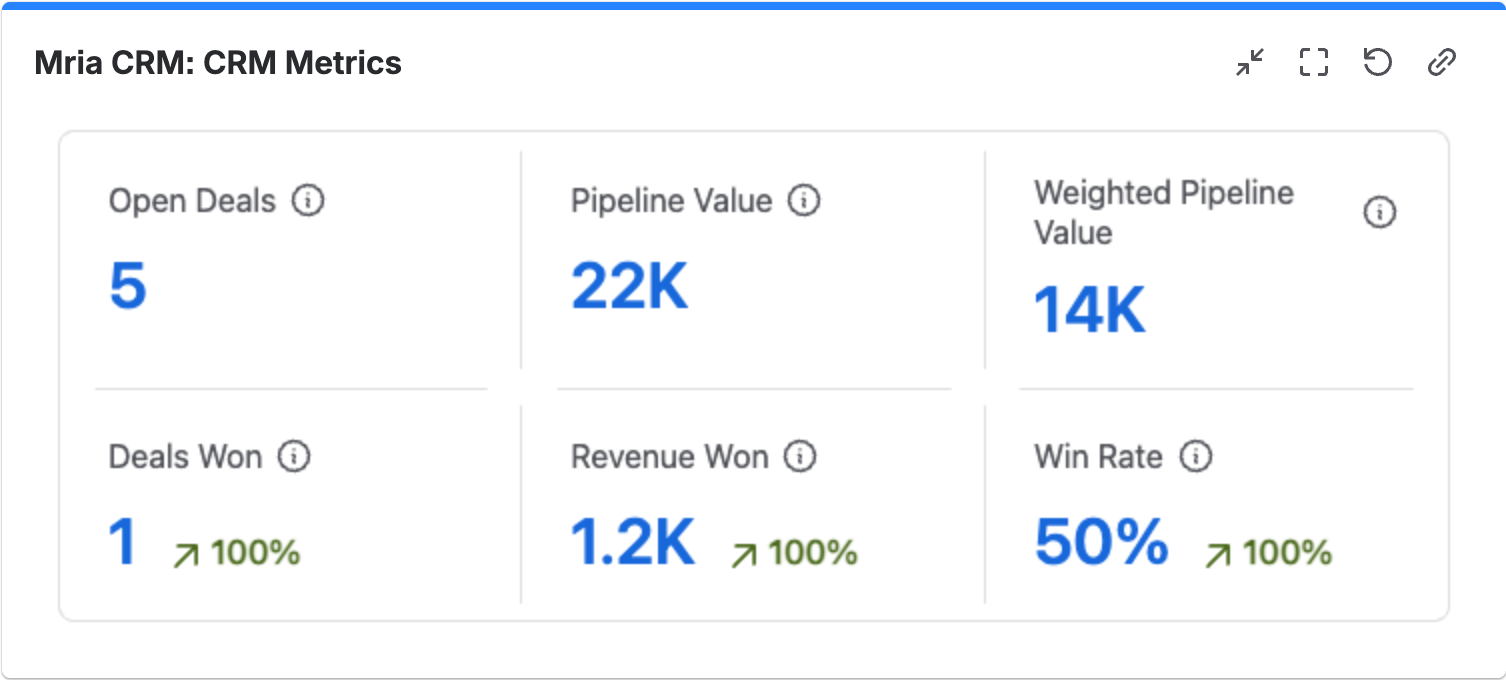
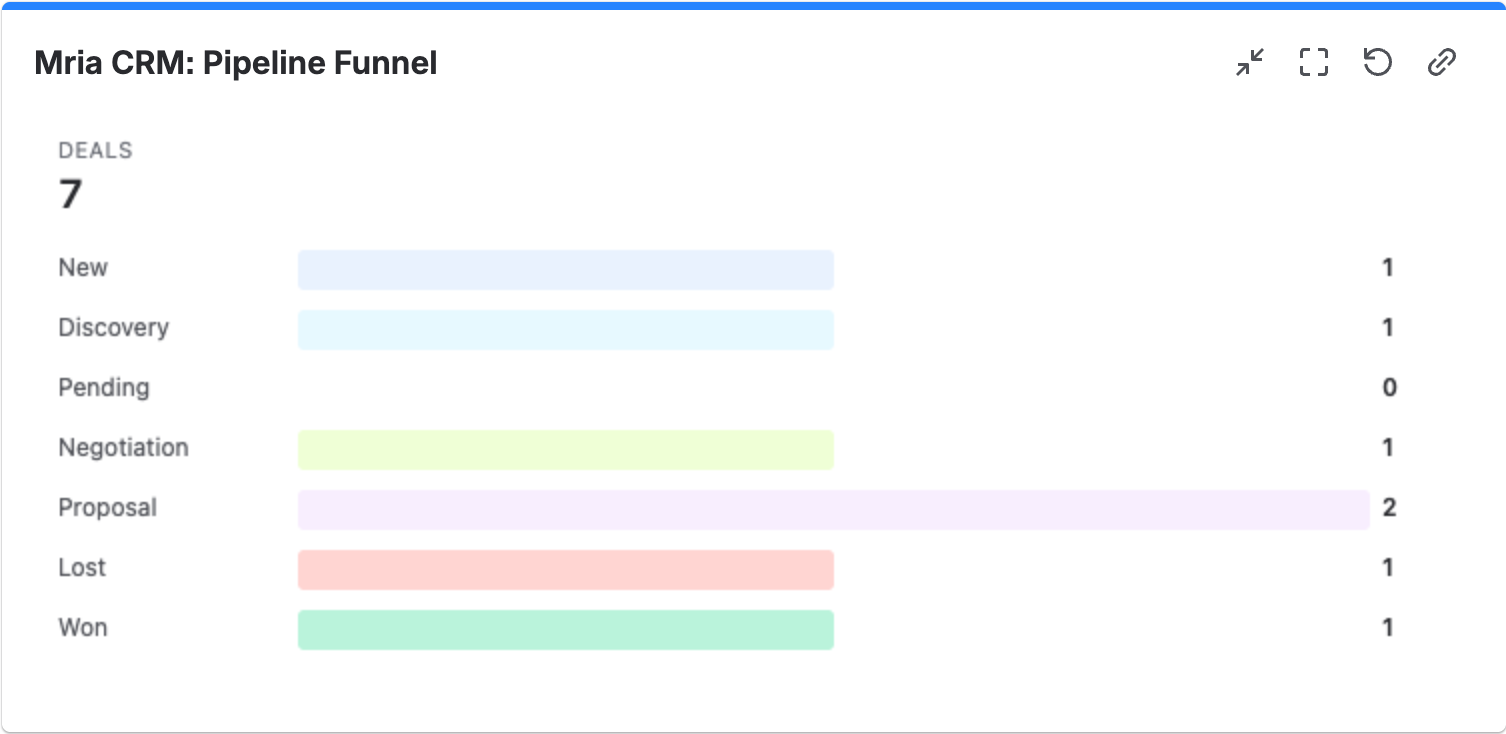
Click a stage in the funnel to open the Deals list filtered the same way.
Your own work #
| Gadget | Shows | Settings |
|---|---|---|
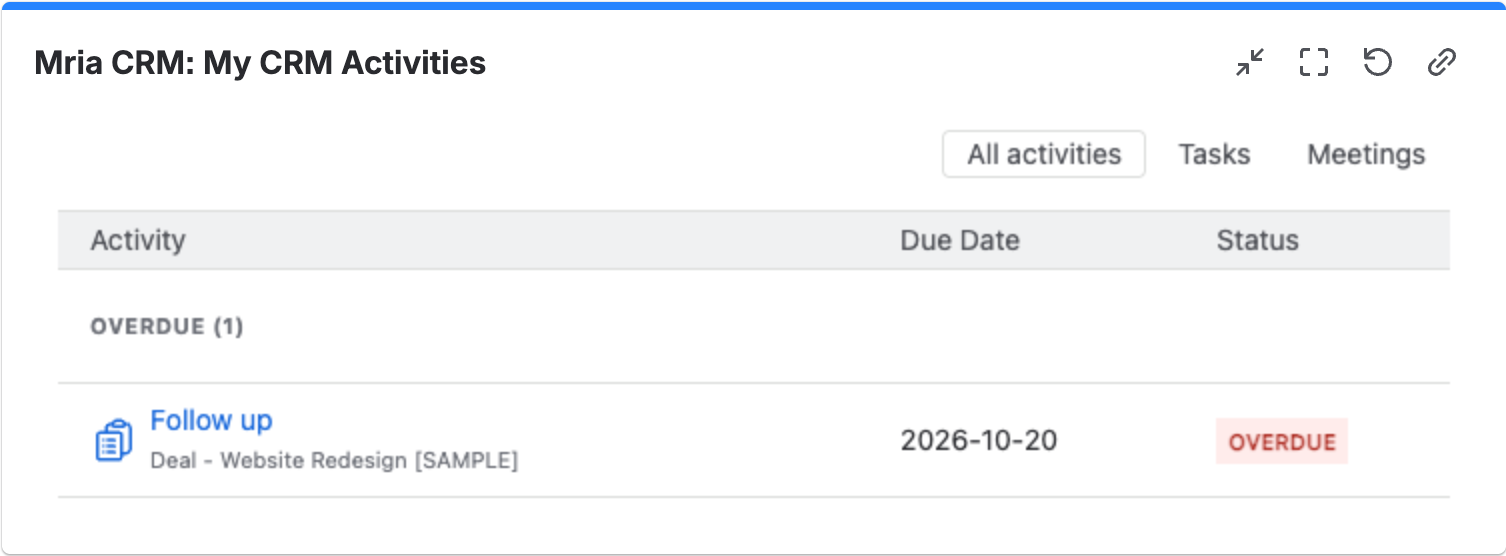
| My CRM Activities | Open tasks and meetings, grouped Overdue, Today and Next 7 days, each with the record it belongs to. | Show activities of, Type (Tasks and meetings, Tasks, Meetings), Rows, Sort (By date, By status) |
| My Leads | Leads assigned to you, with created date, next activity and status. Open statuses only, unless you pick statuses. | Show leads of, Statuses, Sort (Next activity, Newest first, Name), Rows |
| My Deals | Deals assigned to you: stage, amount, weighted amount and closing date. Open stages only, unless you pick stages. | Show deals of, Pipeline, Stages, Sort (Closing date, Amount, Weighted amount, Name), Rows |
| Assigned to Me | Jira work items assigned to you that are linked to a CRM record, with what they are linked to. Unresolved only, unless you pick status categories. | Projects, Status category, Sort (Due date, Status, Last updated), Rows |
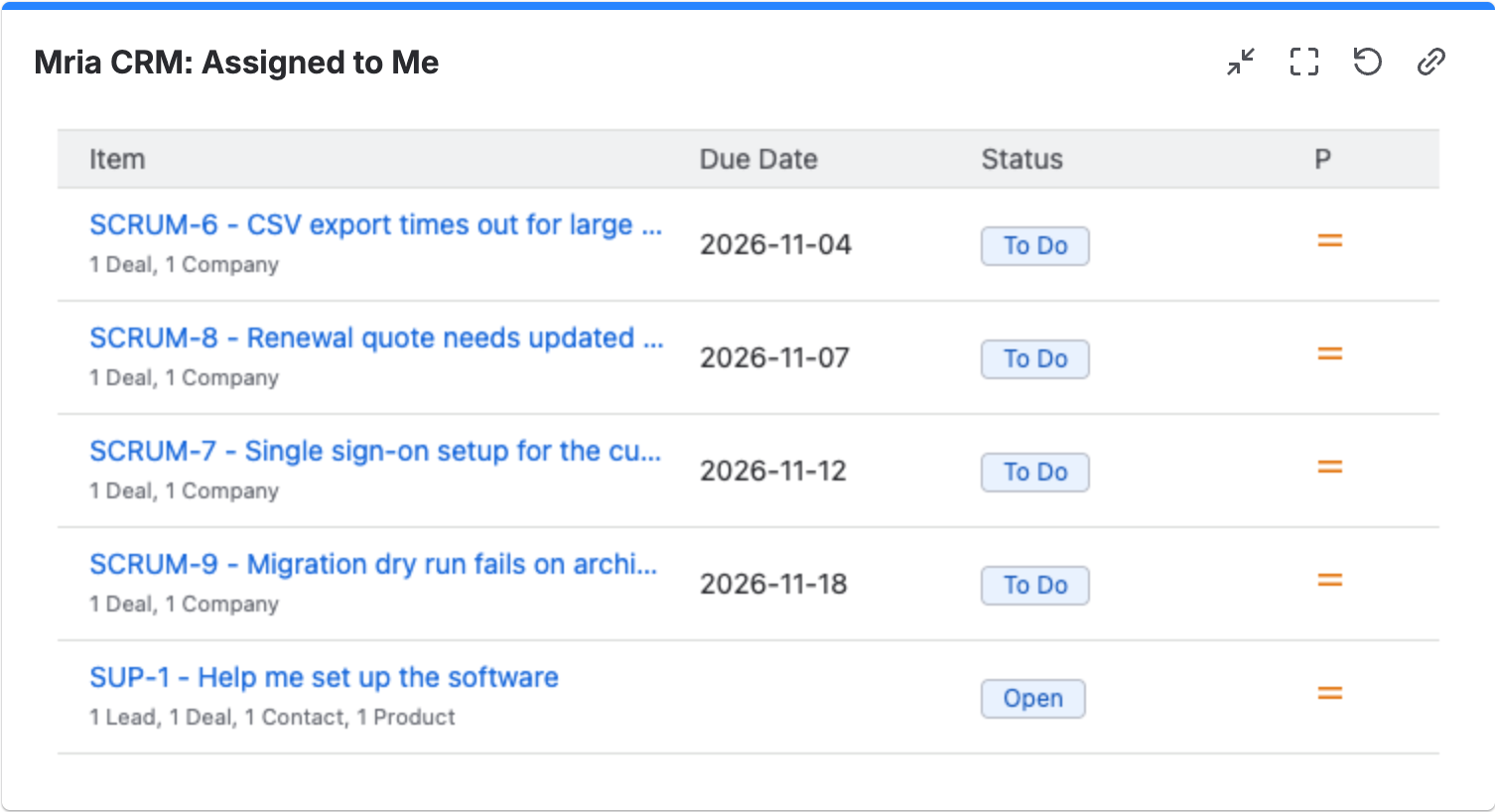
A list longer than its Rows setting ends with a count — 10 of 24 — and View all in Mria CRM.
Driven by a JQL query #
These three start from Jira work items — a JQL query or a saved filter — and show the CRM records linked to them. They answer questions only Jira and the CRM together can: which customers are behind the open bugs, and how much open pipeline is waiting on them.
| Gadget | Shows | Settings |
|---|---|---|
| CRM Records by JQL | The Companies, Deals, Leads, Contacts and Products linked to the matching work items, grouped by type, with the work items under each. | Work items, Record types, Rows per type |
| Work Items by CRM Attribute | The matching work items, counted by Company, Deal stage, Deal assignee or Lead status. | Work items, Group by, Chart type (Bar, Donut, Table), Show top |
| Revenue at Risk | Open Deals linked to the matching work items, with their amount and weighted amount added up. | Work items, Pipeline, Minimum deal amount, Rows |
Work items takes a JQL query or a Saved filter. Validate checks the query with Jira before you save — Jira accepts this query. A query can be up to 2,000 characters. For example:
project = SCRUM AND statusCategory != Done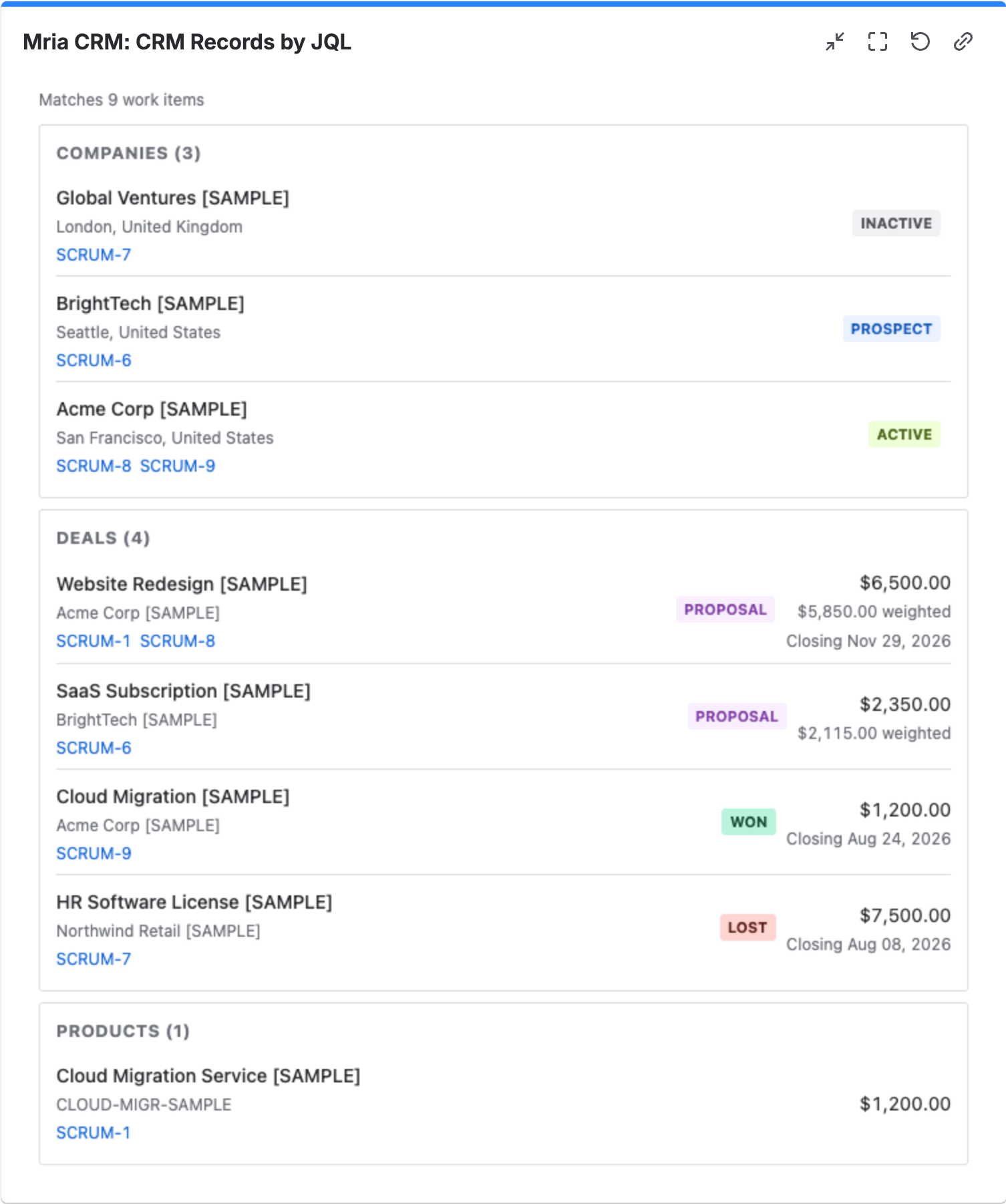
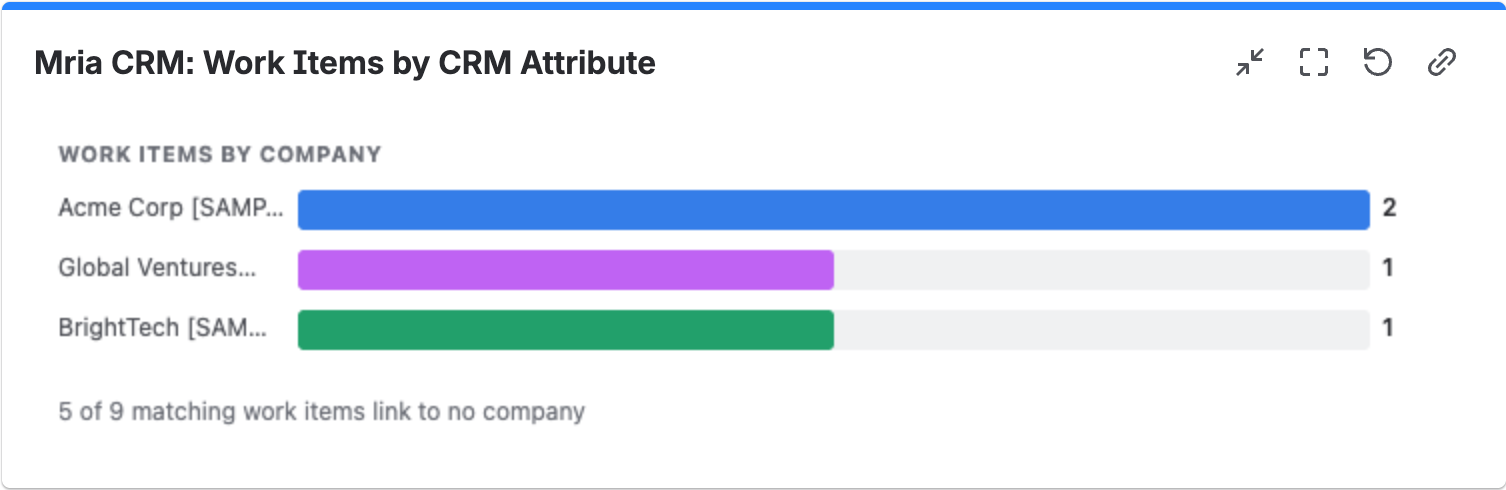
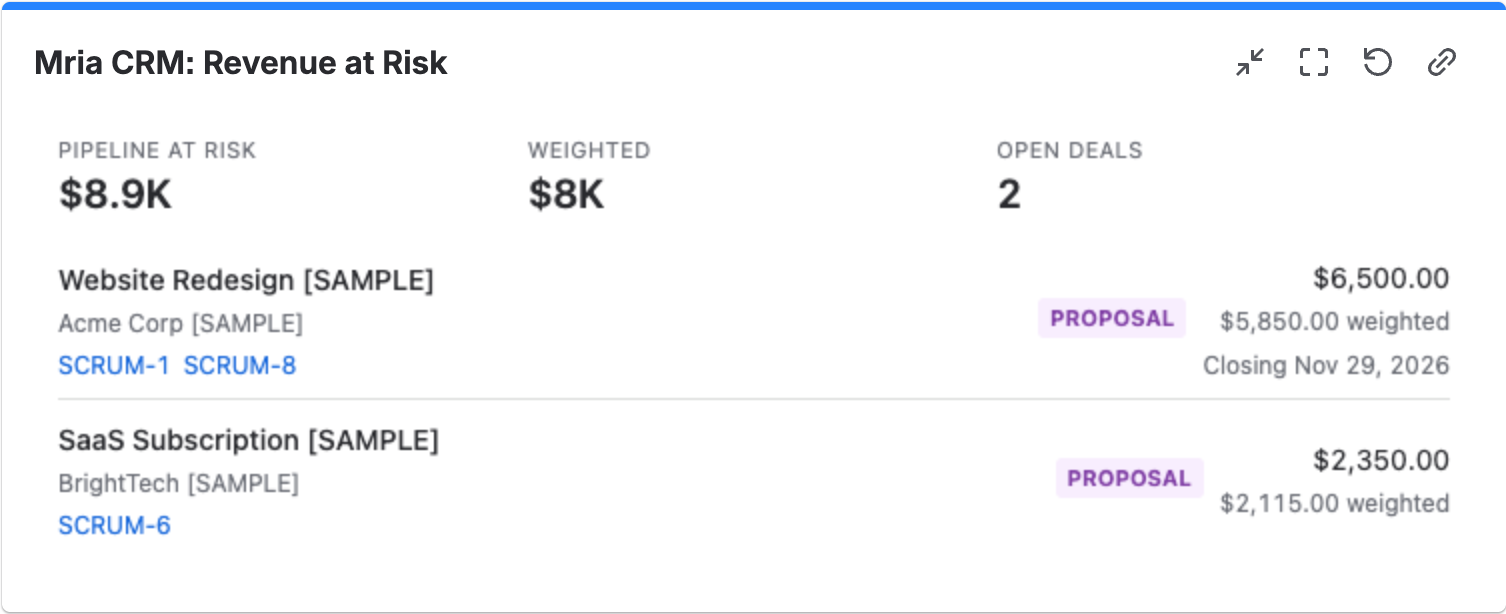
Records are linked to work items from the record’s Linked items section or from the Mria CRM panel on the work item — see Jira Integration. A work item linked to nothing shows up only in the count, for example 5 of 9 matching work items link to no company.
One record #
| Gadget | Shows | Settings |
|---|---|---|
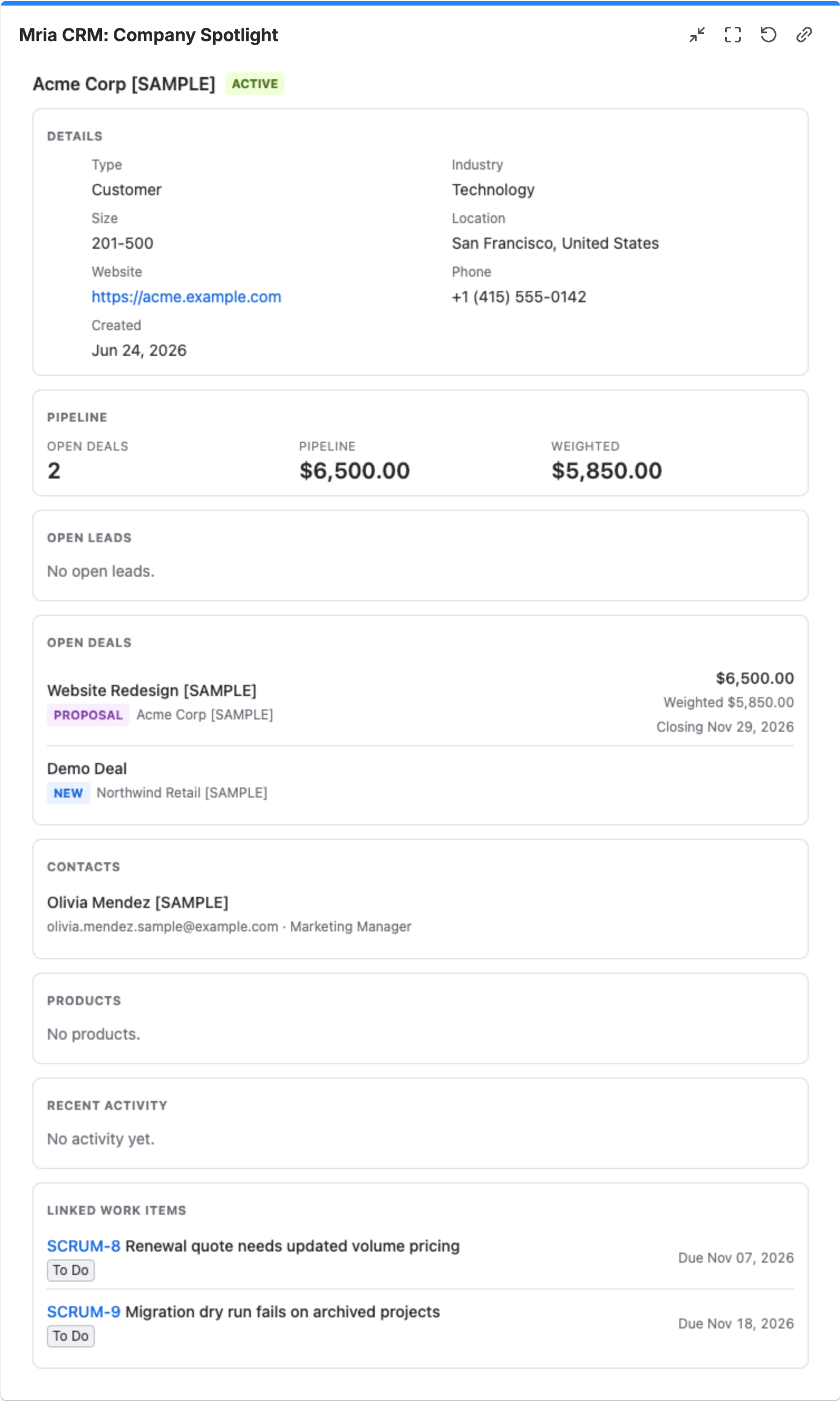
| Company Spotlight | One Company: details, status, pipeline totals, open Leads and Deals, Contacts, Products, recent activity and linked work items. | Company, Sections |
| Deal Spotlight | One Deal: stage, amount, probability, weighted amount, closing date, Companies, Contacts, Products, recent activity and linked work items. | Deal, Sections |
Pick the record by typing part of its name, and untick any Sections you don’t need. Useful on an account team’s or a war-room dashboard.
4. Who sees what #
- A gadget fetches its data as the person looking at the dashboard, with their Mria CRM role. A dashboard shared with the whole team can therefore show different numbers to different people — nobody sees a Deal amount the CRM would not show them.
- A viewer whose role has no View on what a gadget counts gets a message saying so instead of data. Roles are set in Roles & Permissions.
- The “my” gadgets set to Whoever views the dashboard show each viewer their own records.
- Gadgets never change CRM data and have no export. To work on a record, open it — every row is a link.
When there is nothing to show, a gadget says why rather than staying blank — for example No open deals match these settings. or The query matches no work items..
Related Pages #
- Dashboards — the dashboards inside Mria CRM, with the same metrics and more widgets.
- Jira Integration — linking work items to CRM records, which the JQL gadgets read.
- Mria CRM Custom Fields in Jira — CRM data in JQL, for Jira’s own gadgets and filters.
- Roles & Permissions — what each viewer’s gadgets may count.


